
Last updated on September 8th, 2026 at 02:07 pm
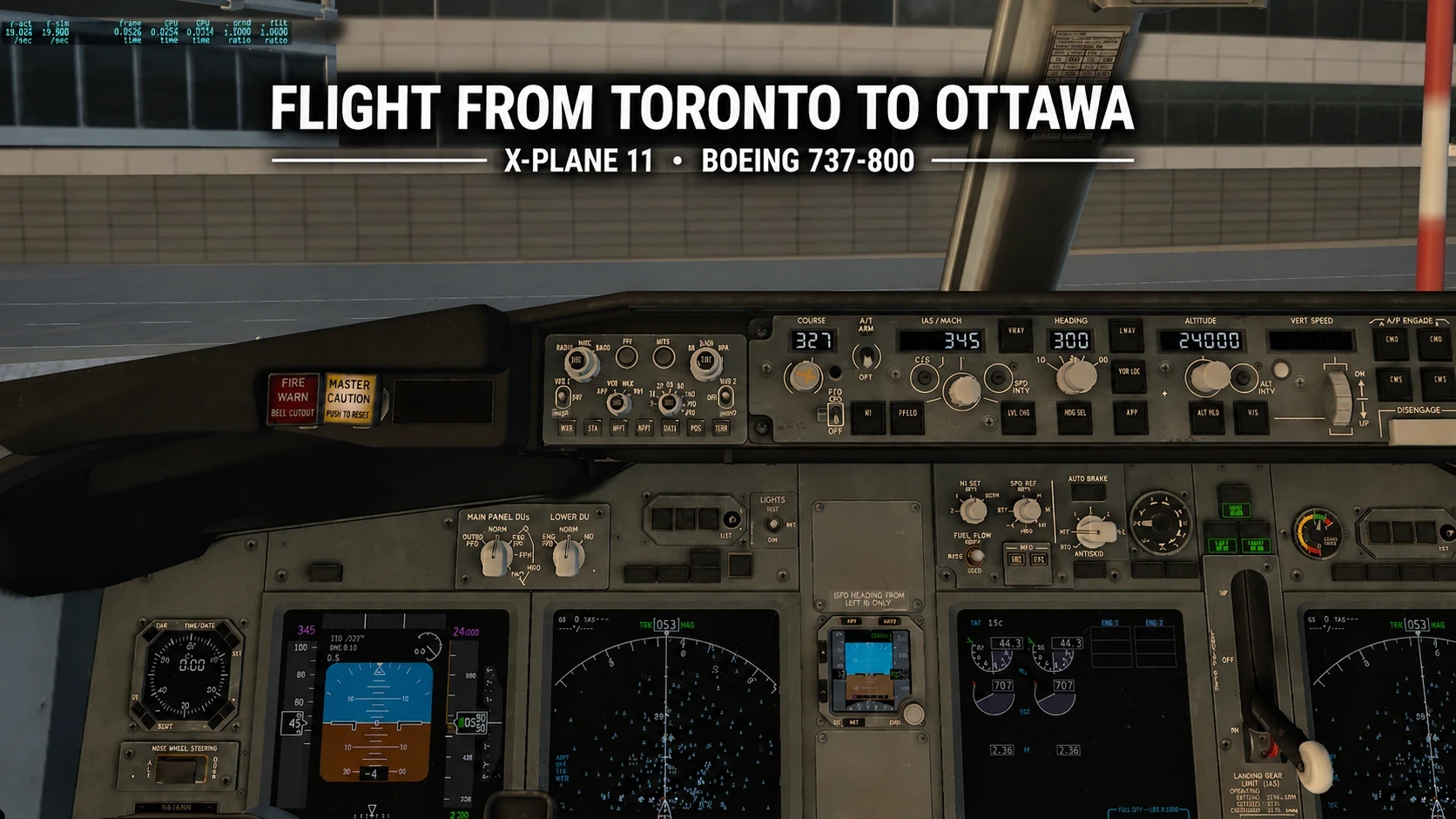
I have spent a lot of time flying X-Plane 11 on a regular laptop, and one thing I’ve noticed is that the FPS doesn’t stay the same throughout an entire flight. A frame rate that feels playable in one part of the flight may feel different from the smoother performance I experience later.
If you’re getting started with flight simulation on similar hardware, you can also read my Beginner Guide to Flight Simulation on a Low-End or Mid-Range PC.
To look at this more closely, I flew a Boeing 737-800 from Toronto Pearson (CYYZ) to Ottawa (CYOW). I monitored the FPS during different stages of the flight, including the gate and taxi, takeoff, the flight toward Ottawa, approach, landing, and taxiing to parking.
For me, there is a difference between a flight simulator being playable and feeling comfortable. Around the low 20s, I can still fly and control the aircraft, although the experience isn’t as smooth. Once the frame rate reaches the upper 20s and into the 30s, flying generally feels smoother and more comfortable to me.
To see how this changes during an actual flight, I flew a Boeing 737-800 from Toronto Pearson (CYYZ) to Ottawa (CYOW). The flight took place during the evening, and I arrived in Ottawa around sunset. Instead of changing settings throughout the flight, I watched how the FPS changed during different stages of the route.
Phase One: Gate & Taxi
Toronto Pearson was the starting point for my flight to Ottawa. While sitting at the gate and taxiing in the Boeing 737-800, my frame rate was around 17–21 FPS.
At this stage, the frame rate was lower than what I experienced later in the flight. When it stayed around 20 FPS or slightly above, I still found the simulator playable, although it wasn’t as smooth as the higher frame rates I experienced during other parts of the flight.
For this test, I wasn’t trying to adjust individual graphics settings to increase the frame rate. Instead, I wanted to observe how performance changed naturally during a normal flight from Toronto to Ottawa. This gave me a starting point that I could compare with takeoff, the flight toward Ottawa, and the approach and landing.
In a separate test, I also compared X-Plane 11 stuttering and FPS on my budget laptop at JFK, where I changed the graphics settings and recorded how performance responded.
If you’re looking for ways to improve performance instead, I tested several settings tweaks to boost flight simulator performance on budget hardware in a separate article.
Phase Two: Takeoff & Departure
During takeoff from Toronto Pearson, my frame rate was generally in the 20s, although it briefly dropped lower at times. Despite these short drops, I was able to complete the takeoff normally and continue the flight toward Ottawa.
As I climbed away from Toronto, the performance gradually improved. This was one of the interesting things I noticed during the flight because the frame rate I experienced around Pearson didn’t represent the performance I would get throughout the entire trip.
I kept the same setup during the flight rather than changing graphics settings to improve performance. My goal was to observe how the frame rate changed naturally from takeoff through the rest of the flight.
Once I was farther into the flight, the frame rate eventually reached the late 20s and early 30s, which felt smoother and more comfortable to me than the lower frame rates I experienced around Toronto.
Phase Three: Cruising Through the Skies
Once I was in flight toward Ottawa, the frame rate improved compared with what I experienced around Toronto Pearson. During this part of the flight, I was generally getting FPS in the late 20s to early 30s.
For me, this was the most comfortable part of the flight. The simulator felt smoother than it did when the frame rate was around the low 20s, and I was able to enjoy the flight without focusing as much on the FPS counter.
What I found interesting was how much the frame rate changed during the same flight. I didn’t change my graphics settings between the different phases. Instead, I kept flying normally and observed how the performance changed as I travelled from Toronto toward Ottawa.
This helped demonstrate the difference between what I consider playable and comfortable performance. I could still fly at the lower frame rates I experienced earlier, but the late 20s and early 30s provided a noticeably smoother experience.
I also tested how to balance visual quality and FPS on a low-end PC, including how different graphics settings affected both performance and how X-Plane 11 looked.
Concluding Phases: Approach, Landing, and Taxing at Ottawa
As I approached Ottawa around sunset, the frame rate dropped from the higher levels I experienced earlier in the flight. During the approach and touchdown, I was getting around 20–23 FPS.
Even though the frame rate was lower than during the main part of the flight, I was still able to complete the approach and landing. For me, this was within the playable range, although it wasn’t as smooth as the late 20s and early 30s I experienced earlier.
After landing, I noticed another change in performance. While taxiing and parking at Ottawa, my frame rate increased to around 27–28 FPS. This felt smoother and was back within what I would consider a comfortable range.
The Toronto-to-Ottawa flight showed me that FPS can change considerably during different stages of the same flight. I experienced around 17–21 FPS at Toronto Pearson, generally in the 20s during takeoff, late 20s to early 30s while in flight, 20–23 FPS during the Ottawa approach and touchdown, and 27–28 FPS while taxiing and parking in Ottawa.
Rather than expecting one FPS number throughout an entire flight, I found it more useful to consider how the simulator actually felt at each stage. Lower frame rates were still playable for me at times, while the upper 20s and low 30s provided a more comfortable experience.
Frequently Asked Questions
What FPS do I consider playable in X-Plane 11?
For me, FPS around the low 20s can still be playable. The experience may not feel as smooth as it does at higher frame rates, but I can still control the aircraft and continue the flight. This is based on my own experience and shouldn’t be treated as a requirement for everyone.
What FPS feels comfortable to me in a flight simulator?
I generally find the upper 20s and low 30s more comfortable. During my Toronto-to-Ottawa flight, the late 20s and early 30s I experienced while in flight felt noticeably smoother than the lower frame rates around the airports.
Does FPS stay the same throughout an entire flight?
Not in my experience. During this flight, my FPS changed several times between Toronto Pearson and Ottawa. This is why I don’t judge the performance of a flight simulator from only one FPS reading.
Is 20 FPS enough for flight simulation?
For me, around 20 FPS or slightly above can still be playable, although I prefer higher frame rates for a smoother experience. What feels acceptable can also vary from one person to another.
Do I need 30 FPS all the time to enjoy X-Plane 11?
I don’t need to maintain 30 FPS throughout an entire flight. During this test, there were several stages where my frame rate was below 30 FPS and I was still able to fly normally. However, when the FPS reached the upper 20s and low 30s, the experience felt more comfortable to me.
Why did I use a complete flight instead of testing one location?
I wanted to see how performance changed during an actual flight rather than judging my laptop from one location. Flying from Toronto to Ottawa allowed me to observe FPS at the gate, during taxi and takeoff, while in flight, and again during approach, landing and taxiing.
What This Flight Taught Me About FPS
My Toronto-to-Ottawa flight gave me a better understanding of the difference between playable performance and comfortable flying. I didn’t need the frame rate to stay in the 30s throughout the entire trip to complete and enjoy the flight.
What mattered more to me was how the simulator actually felt. The lower frame rates weren’t always as smooth, while the upper 20s and low 30s provided a noticeably more comfortable experience.
It also showed me why looking at a single FPS number doesn’t tell the whole story. Performance changed throughout the flight even though I wasn’t changing my graphics settings between each phase.
For anyone using a regular laptop or budget PC for flight simulation, I think it’s worth experiencing an actual flight before deciding whether the performance is good enough. Playable and comfortable can mean different things, and ultimately the right balance depends on what feels acceptable to you while flying.
I can definitely relate to this. I’ve noticed that performance can feel very different depending on what’s happening in the simulator, especially around busy airports compared with cruising. I like how you tested it through a complete flight instead of judging performance from just one FPS reading. The difference between “playable” and “comfortable” is something many beginners probably overlook. Great firsthand experience and very helpful explanation!
Hi Mala,
Thanks for sharing your flight sim experience, as everyone experiences flight simulation differently. While using X-Plane 11, I noticed that FPS can change a lot during a complete flight depending on the scenery and the density of the airport or city. Smaller airports and rural areas are usually in the comfortable range and put less stress on my laptop.
That’s why I test performance throughout the flight rather than relying on one FPS reading. By lowering some settings, I can usually achieve better FPS even in dense areas. For me, 20–24 FPS is playable, while 25 FPS and above is in the comfortable range when performance remains consistent.
I tried tweaking my screen settings all morning so I could practice the route for our big December trip to visit my family in Mexico, and this post totally made me feel better about not hitting 60 FPS! Since I hardly ever leave the house, just having a smooth, stutter-free flight over virtual clouds feels like a wonderful little escape while I count down the months. As long as the scenery doesn’t lag when I’m practicing my landing into Mexico City, a steady 30 FPS is more than comfortable enough for me!
Hi Leah,
Thanks for sharing your experience. I agree that 30 FPS is more than enough to enjoy a flight simulator. What matters more is whether the game stays stable, which is more important than simply chasing higher numbers.
For me, around 25 FPS is already comfortable when the performance stays consistent, especially during takeoff and landing.
Practicing a route to Mexico City sounds like a fun way to prepare for your December trip. I also flew over Mexico City using a small aircraft, and the FPS stayed in the playable range at around 20 FPS. I hope you enjoy both the virtual flights and the real journey!
I found the distinction between “playable” and “comfortable” FPS really interesting. I would have assumed that if the frame rate dropped into the low 20s, the whole experience would become frustrating, so it was helpful to see how much performance changed during different stages of the same flight. I also liked that you tested an entire Toronto-to-Ottawa flight instead of judging the simulator from just one location. From your experience, do you find that the occasional brief FPS drops are less noticeable once you become more accustomed to flying, or do they still tend to break the immersion?
Thanks, Lisa. From my experience, occasional FPS drops are not a big deal when I’m in mid-flight, especially if the simulator stays responsive and the drop only lasts for a short time. However, if the FPS stays low for a longer period, it becomes more noticeable and can affect the immersion.
I usually find the low 20s still playable, but when the FPS stays around 15–20 for longer periods, especially near large airports or dense cities, the reduced smoothness becomes more noticeable and can affect immersion.
That is one reason I prefer testing a full flight instead of judging performance from one location, because the FPS can change quite a bit between the gate, takeoff, cruise, approach, and landing.
This is a well-structured and practical look at how FPS can change throughout an actual flight rather than at a single location. I particularly appreciate the distinction between “playable” and “comfortable,” because performance is ultimately about how responsive and immersive the simulator feels, not simply reaching a specific FPS number. Testing the complete Toronto-to-Ottawa route also provides useful real-world context for users with lower-end hardware. Overall, this firsthand approach offers beginners a more realistic way to evaluate whether their system delivers an enjoyable flight simulation experience.
Hi Kavitha,
Thanks for your thoughtful comment. I agree that FPS alone doesn’t tell the full story. From my experience, a simulator can still feel comfortable at a lower FPS if the performance stays stable and the controls remain responsive.
That’s why I prefer testing a complete route rather than checking FPS at only one airport or location. During the Toronto-to-Ottawa flight, I could see how performance changed between dense areas, cruising, approach, and landing, which gave me a much better idea of how enjoyable the simulator actually felt.
Thanks again for reading and sharing your thoughts.
This is such a practical and honest look at how X-Plane 11 flight simulator performance actually changes during a real Toronto-to-Ottawa flight ; testing across gate, takeoff, cruise, approach, and landing gives budget PC and low-end hardware users a far more realistic picture than judging frame rate from just one location. The distinction between playable FPS in the low 20s versus truly comfortable flying in the upper 20s to low 30s is something most beginners never consider, and it completely changes how you evaluate whether your system is good enough to enjoy flight simulation. I’m going to stop obsessing over hitting 60 FPS and instead focus on what the simulator actually feels like at each stage of the flight — this firsthand approach is exactly the kind of real-world flight simulator performance guide that makes budget PC flying so much more approachable!
Want me to write a few variations at different tones (enthusiast, beginner, technical)?
Hi,
Thanks for sharing your thoughts. I’m glad the full-flight testing approach was helpful. From my experience, FPS can change quite a bit between the gate, takeoff, cruise, approach, and landing, so one number at one location doesn’t always tell you how the simulator will actually feel.
I also found that I don’t need 60 FPS to enjoy X-Plane 11. For me, the low 20s can still be playable, while the upper 20s and low 30s usually feel more comfortable when performance stays consistent.
That’s why I focus more on smooth and responsive flying than chasing the highest FPS number.