
Last updated on April 30th, 2026 at 08:37 pm
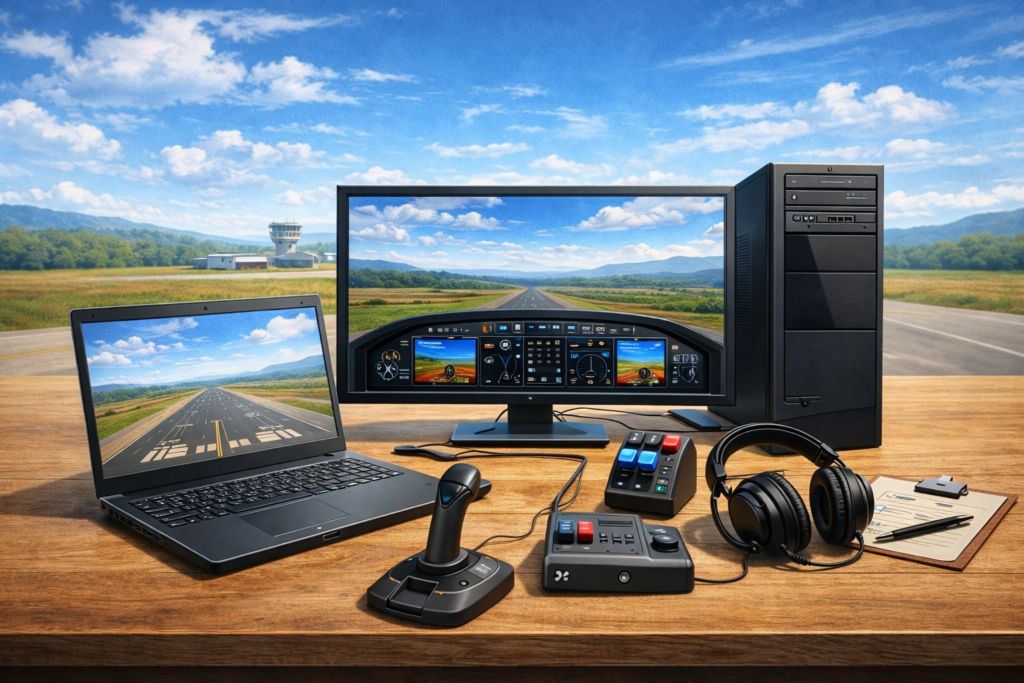
Flight simulation allows you to experience the fundamentals of flying in a way that feels surprisingly hands-on. When I first loaded a light aircraft in Flight Simulator 2004 and later Flight Simulator X and attempted my initial takeoff, I quickly noticed this wasn’t just about visuals — basic control inputs, throttle management, and staying aligned on the runway all required close attention to detail. That balance between realism and accessibility is what makes flight simulation both enjoyable and rewarding for beginners.
From experience, spending time understanding basic flight controls and procedures makes a noticeable difference early on. Learning how pitch, rudder input, and trim interact helped everything from takeoffs to landings feel more controlled and predictable. Even taxiing felt challenging at first, until adjusting rudder sensitivity made ground handling far smoother. These early lessons built the foundation for everything that came after.
I’ve been interested in flight simulators since I was young. I started with earlier versions that focused on basic flying concepts, using smaller aircraft for short flights because they were easier to control before moving on to larger ones.
My Recent Experience Testing MSFS and X-Plane on Different Laptops
Over the years, I’ve tested many simulators on different machines, and performance has always played a major role in how enjoyable the learning experience feels. When Microsoft Flight Simulator 2020 was released, I tried installing it on my older laptop — but it never worked. The installation window kept closing while the download was in progress, stopping the setup every time and making it impossible to run the simulator.
X-Plane 11 performed slightly better on that same machine, but it still struggled during takeoff, approach, and at detailed airports. Frame rates were low enough to make proper training difficult.
I also tried Microsoft Flight Simulator X on that older laptop. It did run, but I found takeoffs and landings difficult to control. I experimented with different control and sensitivity settings, but the handling still didn’t feel right to me. Because of that, I only used the simulator briefly before deciding to uninstall it.
After purchasing a new laptop at the end of 2025, I tested the simulators again. Even though my system met the published requirements for X-Plane 12, it still ran laggy during ground operations and more demanding scenarios. Weather, AI traffic, and complex scenery all caused noticeable stutters.
What surprised me most was how smooth and responsive X-Plane 11 ran on the same new laptop, even with high settings. The frame rate was stable, and control inputs felt immediate — especially when practicing landings, pattern work, and short-field approaches.
I also completed structured lessons inside the simulator, focusing on small GA aircraft. These lessons helped refine my technique, and I consistently passed with strong evaluations. Compared to Flight Simulator X, I found that landing in X-Plane 11 with a joystick felt more stable and predictable, particularly on final approach.
This is why I recommend beginners choose a simulator based on their hardware rather than popularity alone. Even if a PC meets the “minimum” or “recommended” specifications, real-world performance can vary. A simulator that runs smoothly on your machine will always provide a better learning experience, especially when practicing the fundamental skills of flight.
My Initial Experience with Aerofly FS 4 on a Mid-Range Laptop
I also tried running Aerofly FS 4 on my laptop to see how it compares. The menu is very simple and easy to navigate, although joystick setup required some manual calibration before everything felt right.
Once I started flying, the simulator ran smoothly and the experience felt realistic. The scenery looked more visually refined than what I’ve seen in X-Plane 11, with more detailed buildings and well-designed aircraft models. One thing I did notice is that road traffic is not present, which makes the environment feel slightly less active in certain areas.
Overall, Aerofly FS 4 gave a smooth and visually impressive first impression on my system. I’ll be exploring it further and soon will provide a more detailed comparison with X-Plane 11 in a separate post.
Essential Software and Hardware for Flight Simulation Beginners

A reliable flight simulation setup includes both the software and hardware that bring the flying experience to life. Today’s simulators offer impressive realism, but choosing the right one depends on your goals and the computer you have.
Programs such as Microsoft Flight Simulator 2024 and X-Plane 12 are built for different types of simmers. MSFS emphasizes accessibility and stunning visuals, which makes it beginner-friendly. X-Plane focuses more on flight-model accuracy, appealing to those who want deeper realism. Both options work well — the key is choosing the one that performs smoothly on your system.
Many simulators also support accessories such as joysticks, yokes, throttle quadrants, rudder pedals, and even VR headsets. For beginners, a simple, affordable joystick is more than enough to start learning essential controls before exploring more advanced add-ons.
🛩️ Microsoft Flight Simulator 2024 vs X-Plane 12 – Quick Comparison for Beginners
| Feature | MSFS 2024 | X-Plane 12 |
| Visuals & Scenery | Photorealistic world with Bing Maps & AI | Realistic lighting, less global detail |
| Ease of Use | Beginner-friendly UI & guided tutorials | More technical; steeper learning curve |
| Aircraft Variety | Dozens of built-in aircraft, incl. modern jets | Wide range; realistic flight models |
| Add-On Support | Huge library via Marketplace & third-party | Strong third-party support, especially for pros |
| Performance Needs | Requires high specs for ultra settings | Slightly more optimized for mid-range PCs |
| VR & Hardware Support | Great VR support, works with popular hardware | Strong VR and hardware support |
| Best For | Beginners, casual simmers, visuals-focused | Realism-focused simmers, aspiring pilots |
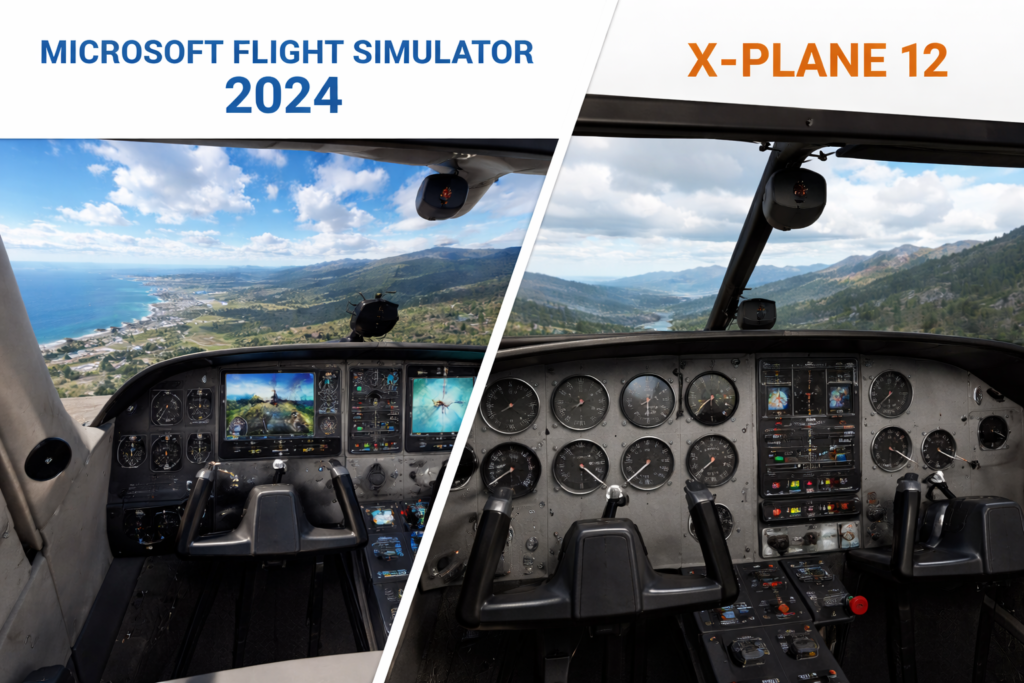
For beginners, a basic package that covers the essentials is enough to jumpstart the adventure while you decide on future upgrades. 👉 For a more detailed breakdown of the best apps and tools for new sim pilots, check out Essential Software and Tools for Novice Pilots.
Basic Setup and Configuration for Flight Simulation
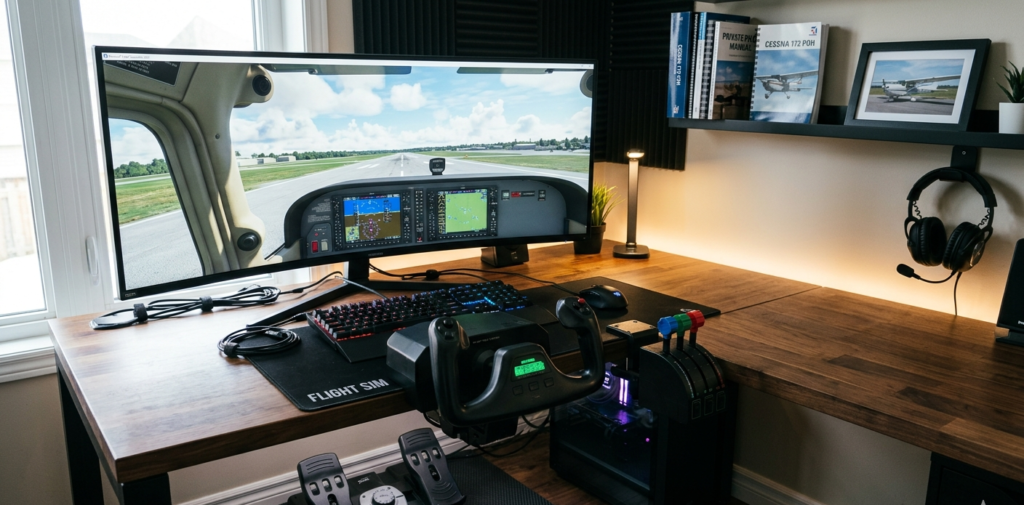
Correct setup makes a bigger difference than most beginners expect. Before starting your first flight, ensure your computer meets or exceeds the recommended specifications for your chosen simulator. A strong GPU, sufficient RAM, and a well-cooled processor contribute significantly to smooth performance.
📌 Tip: You can compare your system to popular simulators’ requirements using tools like System Requirements Lab.
Once your simulator is installed, connect your flight controls and follow the in-program calibration process. As emphasized in the FAA Airplane Flying Handbook (FAA-H-8083-3C), proper control configuration leads to more accurate and stable handling.
Make sure each axis — pitch, roll, yaw, throttle — responds smoothly. Small calibration adjustments early on prevent unnecessary difficulty during takeoff, landing, and turns.
✈️ My Experience Fixing Joystick Drift in X-Plane 11
When I first set up my joystick in X-Plane 11, the calibration worked, but as soon as I pushed the throttle forward in the Cessna 172, the aircraft kept veering sharply to the left. At first, I thought I was doing something wrong with the rudder.
It turned out the issue was simply joystick sensitivity. After adjusting the sensitivity curve and re-calibrating the neutral position, the aircraft stayed centered on the runway and lifted off smoothly.
This is a common problem new sim pilots encounter, and a quick calibration or sensitivity adjustment usually fixes it.
If your aircraft pulls to one side during takeoff, recalibrating the joystick should be your first step.
Quick Guide to Start Your Flight Simulation Adventure
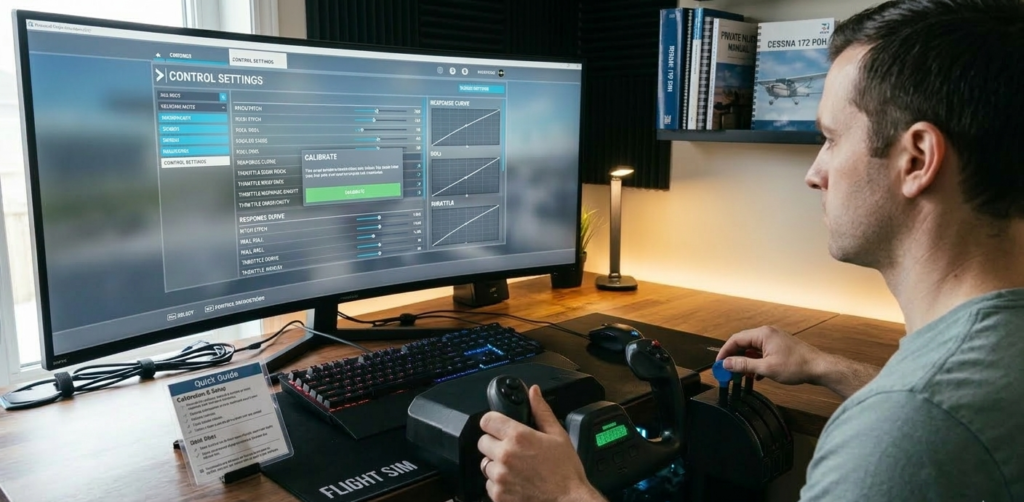
Getting started with flight simulation is about breaking the process down into manageable steps. I have learned that tackling each step one by one makes the learning process both fun and efficient. First, select a simulator that matches your experience level, as many beginner-friendly options come with simplified controls and built-in tutorials. In my early sessions, built-in tutorials using small aircraft like the Cessna 172 helped me understand basic tasks like taxiing, maintaining altitude, and following simple navigation prompts without feeling overwhelmed. Once you have chosen your simulator, check that your computer meets the minimum system requirements to run the software without performance hiccups.
Next, set up your flight controls by starting with a basic joystick or controller and following the calibration process within your simulator. Familiarize yourself with the overall interface and basic control inputs.
After switching from keyboard-only controls to a Logitech joystick, maintaining stable pitch during approach became much easier, especially in light aircraft.
I took lessons using Flight Simulator 2002 with an instructor on a Cessna 172, where I learned the basics of flying and successfully completed the training. Starting with a small plane helped me build confidence before moving on to larger ones. If you’re new to flight simulation, I recommend beginning with smaller models, mastering the fundamentals, and then gradually transitioning to bigger aircraft. Using a joystick for control and a keyboard for commands worked really well for me—it made the whole experience feel more natural and immersive.
As you become more comfortable with these initial steps, practice in a controlled environment. Start by flying in scenarios that involve smaller airports or uncomplicated flight paths so you can build confidence before advancing to more complex situations. Small adjustments in your settings can make a significant difference in control and comfort, so continually experiment and adjust as you progress on this adventure.
Key Considerations Before Jumping into Flight Simulation
Before investing in a flight simulation setup, it is wise to consider some important factors that could affect your overall experience. One of the first things to verify is whether your computer has enough power to run both high-quality graphics and detailed simulation software together. A robust system with a modern processor, sufficient RAM, and a high-quality graphics card is very important to ensure that the simulation runs smoothly.
💡 A gaming laptop can also work, but make sure you get a high-quality one with a powerful GPU, good cooling, and sufficient RAM. Avoid blocking the vent, as overheating can lead to performance drops or crashes during long simulation sessions. Many high-end gaming laptops can handle flight simulators well, but desktop setups generally offer better upgradability.
Another point to consider is the cost of equipment. Quality simulation software and hardware can be relatively expensive. Many beginners choose to start with budget-friendly packages that offer entry-level peripherals, knowing that upgrades can be made as interest and skill develop. In addition, the complexity of setting up the controls is something to keep in mind. For someone just starting out, it’s recommended to begin with simple default settings and to gradually incorporate more advanced configurations as your understanding deepens. Finally, don’t underestimate the importance of having a comfortable space for your simulation. A dedicated and quiet area with room for your equipment can significantly improve the quality of your practice sessions.
Advanced Tips and Tricks for Flight Simulation
Once you’re comfortable with the basics, you can start exploring a few advanced tweaks to push your simulation experience further. Fine-tuning your computer settings—such as graphics resolution, terrain detail, and performance sliders—can make a noticeable difference in smoothness and responsiveness. Small adjustments often go a long way toward creating a more stable and enjoyable experience.
👉 How To Optimize Your PC For Performance In Flight Simulators is a great guide if you’re ready to take your setup to the next level.
Based on feedback shared across the flight simulation community, small adjustments—such as tuning control sensitivity, improving ergonomics, and adding the right plug-ins—often make a bigger impact on overall realism than upgrading hardware alone. If you’re looking to connect with other sim pilots and discover helpful communities, I’ve put together a guide to the top flight simulation forums and online communities that are especially useful for beginners and experienced simmers alike.
Add-on content is another way to elevate realism. Many simulators support third-party enhancements like custom scenery, detailed aircraft models, and more dynamic weather systems. Experimenting with free or low-cost add-ons is a smart way to discover what genuinely improves your enjoyment without overwhelming your setup.
Some simmers eventually explore virtual reality for a more immersive cockpit perspective. While VR can be impressive, it’s best approached after you’ve fully mastered the fundamentals using a standard monitor and controls. A solid foundation makes the transition far more rewarding.
As your confidence grows, structured flying can add depth to your sessions. Planning routes, managing fuel, and flying realistic procedures—whether VFR or IFR—helps your simulator feel less like a game and more like a true training environment.
Above all, take your time experimenting. Incremental changes, thoughtful adjustments, and gradual upgrades often deliver the biggest improvements. These advanced tips are meant to enhance realism without sacrificing enjoyment, allowing you to get the most out of your flight simulation setup at your own pace.
The Basics: What Tools Should Beginners Focus On?
For everyone starting out, it is best to concentrate on the essentials needed to build a strong foundation. It is wise to begin with simulation software recognized for its ease of use and robust beginner support. Many programs come with on-screen tutorials, which are especially useful when you are just getting started along with the software.
While you can technically fly using only the keyboard, a joystick makes a huge difference—especially with smaller aircraft. It provides better precision, is easier to handle, and serves as a more affordable alternative to a full yoke system or custom-built flight panel.
There are also budget packages available that offer both software and hardware bundled together at a reasonable price. These bundles allow newcomers to step up their experience without having to invest separately in each component.
By starting with these essential tools, you allow yourself the freedom to explore and gradually add complexity to your setup as your skills improve. A well-rounded beginner setup typically includes three primary components: flight simulation software that guides you through detailed tutorials, reliable flight controls that offer good feedback, and user-friendly interfaces that make learning the virtual cockpit easier. Once you are comfortable with the basics, you have the option to explore more advanced systems and additional functionalities at your own pace.
Frequently Asked Questions:
Question: What is the best flight simulation software for beginners?
Answer: If you’re just starting out, Microsoft Flight Simulator 2024 is the easiest entry point. Its built-in tutorials walk you through taxiing, takeoffs, and landings using aircraft like the Cessna 172, which helped me personally understand the basics without feeling overwhelmed.
If you prefer a more technical flight model, X-Plane 12 offers deeper realism, but expect a steeper learning curve. Both are excellent — it just depends on whether you value simplicity or realism in the early stages.
Question: Do I really need advanced hardware to enjoy flight simulation?
Answer: Not at all. I began with keyboard controls in FS2004 and later upgraded to a basic Logitech joystick — that single change made approaches and pitch control noticeably smoother.
A beginner-friendly setup only needs:
- A mid-range PC or laptop
- An entry-level joystick
- Stable internet if using MSFS 2024 scenery
You can upgrade to yokes, pedals, or VR later as your skills grow.
Question: How long does it typically take to become proficient in flight simulation?
Answer: Most beginners start feeling confident after a few weeks of consistent flying. What made the biggest difference for me was practicing short flights between small airports and repeating takeoff/landing drills.
If you follow the built-in tutorials and fly 2–3 times per week, you’ll build solid skills much faster than you expect.
Question: Is flight simulation only for those who are deeply interested in aviation?
Answer: Not at all. Many people enjoy simulators simply because they’re relaxing, visually stunning, and mentally engaging. Even if you’ve never flown before, simulators like MSFS 2024 make it easy to learn at your own pace.
That said, you’ll naturally develop an interest in real-world flying concepts as you progress — that’s part of the fun.
Question: Should Beginners start with small aircraft or jump straight into airliners?
Answer: Always start small. Flying a Cessna 172 taught me pitch control, trimming, taxi handling, and maintaining altitude — skills that translate directly into larger aircraft later on.
Airliners look exciting, but they require systems knowledge and procedure discipline. Mastering basics in a small GA aircraft makes the transition far smoother and far more enjoyable.
Question: Does the type of joystick or yoke matter for beginners?
Answer: For your first few months, any basic joystick works well. What truly matters is getting used to coordinated inputs — pitch, roll, and rudder.
If you eventually upgrade, a yoke like the Honeycomb Alpha gives a more realistic feel for GA flying, while sidesticks (like the TCA Airbus) are great for modern jet operations
Wrapping Up Your Flight Simulation Adventure
Flight simulation is a rewarding hobby that perfectly blends learning and enjoyment. I have found that mastering the virtual skies not only builds technical skills but also offers a unique form of entertainment. By starting with the essential software and hardware, setting up your controls correctly, and gradually experimenting with advanced features, you pave the way for a highly satisfying simulation experience.
Remember, the journey does not end with one flight. As you gain confidence and familiarity, you can continue to improve your setup and learn more about the intricacies of flying. Keep practicing, explore new tools and settings, and let each flight help you discover something new about the art of simulation. Your adventure in flight simulation is just beginning, and every takeoff brings you closer to mastering the skies.
✈️ Ready to take the next step? Dive into more beginner-friendly resources like Navigating The Virtual Skies: Tips For Beginners or start customizing your cockpit with How To Set Up Your First Custom Flight Simulator. Whether you’re just getting started or leveling up, there’s always something new to explore.
Your adventure in flight simulation is just beginning—so throttle up and enjoy the ride!
This article is a fantastic guide for anyone looking to dive into flight simulation. I love how it covers everything from beginner-friendly setups to advanced tweaks, making it useful for both newcomers and experienced users. The emphasis on starting simple and gradually upgrading is great advice, especially since flight sim gear can get quite expensive. I also appreciate the personal experiences shared. It makes the learning process feel more relatable. One thing I’m curious about is whether VR truly enhances the experience for beginners or if it’s better suited for more advanced sim pilots. What’s your take on that?
Hi Kavitha, thanks for checking out the guide!
I kept the steps beginner-friendly and recommend starting with a simple joystick since it’s affordable and still gives a great experience. New gear is usually more reliable than second-hand, but both can work.
I haven’t tried VR yet, but it looks incredibly immersive from what I’ve seen. Just keep in mind it can cause eye strain for some people, especially during long sessions.
Starting with flight simulation can be intimidating, but I found that breaking it down into manageable steps, like the ones outlined in this guide, makes the process much smoother. For me, investing in a solid joystick early on was a game changer – it helped with the learning curve and made the experience feel more immersive right away. I also think it’s important to start small and gradually build up to more complex planes and settings. That way, it doesn’t get overwhelming. In my experience, patience is key – sometimes it’s easy to get frustrated with things not working perfectly, but it’s all part of the learning process!
Hi Slavisa, glad you shared your experience!
Taking things step by step really does make flight sim much easier. Getting a joystick early helps a lot with control, and starting with simple aircraft is the perfect way to learn. Happy flying!
Loved this guide! As someone who’s been flying around in sim just with a keyboard and mouse, it’s super reassuring to hear that you don’t need all the fancy gear to start enjoying it. I’ve always been kind of intimidated by all the hardware out there, but your step-by-step breakdown makes it feel way more doable. It’s cool how you emphasized just having fun and exploring first, definitely makes the whole thing feel more accessible. Appreciate you sharing this!
Hi Matteo, glad you enjoyed the guide!
You definitely don’t need fancy hardware to start — many people begin with just a keyboard and mouse. I’m happy the step-by-step approach made things feel more accessible.
Have fun exploring, and feel free to reach out anytime!
A very informative step by step guide on how to begin your flight simulator journey. I appreciate the thorough breakdown without over complicating things. Makes things much easier to comprehend. What an awesome article !
Hi Elsy!
Really happy the guide felt easy to follow. Flight sim is a fun hobby, and if you ever decide to try it and need tips, I’m here to help.
Wow loads of excellent facts!
Appreciate the feedback!
What a fantastic guide! As someone who’s been curious about flight simulation but unsure where to start, this article really broke everything down in a way that feels both approachable and exciting.
I especially appreciate the emphasis on starting simple — using a joystick and smaller aircraft to build confidence. That alone makes the whole idea feel a lot more doable for beginners like me. The personal stories woven throughout really help too — it’s motivating to hear how real users got hooked and grew over time.
A few thoughts/questions for fellow readers:
What simulator did you start with — and would you recommend it to someone brand new?
Has anyone here transitioned into VR flight simming? Curious to know how big of a leap that is!
And do you think a powerful gaming laptop is “good enough,” or is a full desktop setup really the way to go?
Also — any favorite aircraft to practice on as a beginner? I hear a lot about the Cessna 172!
Looking forward to hearing everyone’s take. It’s clear this hobby is a deep rabbit hole… and I’m ready to jump in!
Hi Raymond, glad you found the guide helpful!
I started with Flight Simulator 2002 and FSX. For beginners today, FSX works well on a budget, while MSFS 2020/2024 offers the most realism. VR is fantastic but needs strong hardware. And yes — the Cessna 172 is the best place to start.
Welcome to the sim world!
This is a fantastic, detailed guide for anyone interested in starting flight simulation! I really appreciate how you broke down the essential hardware and software for beginners, making it less intimidating to jump in. Your tip about starting with smaller planes to build confidence before moving to bigger aircraft is especially helpful. I’m curious—what would you recommend as the best budget-friendly joystick for someone just starting out who wants a good balance between price and quality?
Hi Hanna!
A solid budget joystick to start with is the Logitech Extreme 3D Pro. It’s reliable, easy to use, and great for beginners. You can always upgrade later as you progress.
@MElamin – Just landed on this update to your guide—what a practical intro to the world of flight simulation. I’ve dabbled in immersive tech and smart environments myself, but this takes things to another level in showing how tech can be truly experienced. The blend of realism, gear setup, and community makes it feel like more than a hobby—it’s full-on!
I really appreciate the step-by-step clarity and the sense of commitment that comes through—it’s clear this post was built with serious thought. Respect!
MarkA
Hi Mark, appreciate the kind words!
Glad the step-by-step style worked well. Flight simulation really has become an immersive space, and it’s exciting to see more people getting into it.
This is an excellent beginner’s guide—it covers everything from the excitement of first flights to the nitty-gritty of hardware, software, and even advanced tweaks. I like how you layered the journey: starting with curiosity, then moving into setup basics, then progressively introducing more complex elements like add-ons, VR, and flight planning. It feels approachable but still comprehensive.
One thing I’m wondering: since budget is such a common concern for newcomers, would you consider adding a “starter kit recommendation” at the end—like a sample low-cost setup (PC specs, joystick, and sim choice) under $500 or $1,000? It could give readers a concrete roadmap to jump in without feeling overwhelmed by endless options.
Hi Jenny!
Glad the breakdown helped. For beginners on a budget, a mid-range PC and an entry-level joystick make a great starting setup. A “starter kit” section is a good idea — I might add that soon.
Well now, I AM impressed. This IS a very good website. I love the very professional layout. I think I also will add an Archives section to my website because I want all my articles to be available without crowding my menus. Your menu is very beautiful too. I guess that comes with the Theme you chose for your website? Very nice indeed. MAC
Thanks, Michael!
Happy you liked the layout. The theme handled the structure, and I customized it to keep things simple and clean. An Archives section is a great addition for your site too.
Hi, I must say I never relized you could get such fancy controls for these. I knew you could some controllers but not like the ones you’ve shown. I suppose if you play on these simulators enough it probably wouldnt be much of a leap to flying a real plane. Seems a lot more advanced than driving games. I bet a lot of guys like yourself could easily fly a plane after using these controls all the time.
Hi Alex!
Modern flight sim controls are much more realistic now and great for learning basics and cockpit workflow. They help a lot, but actual flight training still requires proper instruction.
In my opinion, flight simulation is one of the best examples of a hobby that’s both entertaining and genuinely educational. What makes it especially valuable is how accessible it has become—someone can start with very basic equipment and still learn real aviation concepts like navigation, weather awareness, and cockpit procedures.
I also think the emphasis on starting simple is spot on. Too many beginners get discouraged by trying to replicate a full cockpit right away. Building skills gradually, flying smaller aircraft, and focusing on fundamentals make the experience far more enjoyable and sustainable.
Another strong point is how flight sims encourage patience and problem-solving. Unlike fast-paced games, they reward preparation, planning, and consistency, which is part of what makes them so engaging long term. Overall, I see flight simulation as more than just a game—it’s a powerful learning tool and a relaxing, skill-building hobby at the same time.
Thanks, Monica!
Totally agree — flight simulation is both fun and educational. Starting simple builds confidence, and patience really makes the hobby more enjoyable over time.
The very first thing I noticed when I read this is how well the article are interwoven and indexed. A skill I have yet to learn or master. It does make me curious, is that something you plan out as you build your article list to publish or do you find points in the article that point to or touch upon info in other articles to reference?
As to flight simulator software, I’ve been exposed to it a few times over the years and tried it myself maybe twice. I remember not being able to keep the controls straight on a qwerty keyboard so they were not graceful flights by any stretch of the imagination.
Today, I have too many AI’s and other large-footprint software packages on my machine to even consider trying to play with flight simulators. I would have to get a separate machine for it. Very well put together.
Hi Robert!
I link related articles as the site grows so everything fits together naturally.
And you’re right — flying with a keyboard is tricky. Even a basic joystick improves control a lot. Modern sims do need stronger hardware, so a separate setup can help.
This is honestly one of the most practical beginner guides to flight simulation. What really stood out is how grounded it feels in real experience—not just theory. The part where you talked about testing different simulators on older vs newer laptops is especially helpful, because that’s exactly the kind of thing most beginners struggle with but rarely see explained clearly.
I also appreciate how you didn’t just default to recommending the “most popular” simulator, but instead emphasized choosing based on performance. That’s such an underrated point. A smooth experience on slightly lower settings is way better than a laggy “high-end” setup that just frustrates you.
The joystick calibration story was a great touch too. It’s small details like that which make a huge difference for beginners. A lot of people would probably assume they’re doing something wrong, when it’s really just a sensitivity issue. Including that kind of real-world troubleshooting makes this guide feel much more relatable and useful. Another thing I liked is how you consistently encourage starting simple—both with hardware and aircraft. It’s tempting for beginners to jump straight into complex airliners or expensive setups, but your approach makes the learning curve feel manageable instead of overwhelming. The structure of the article is also really well done. It flows naturally from setup → experience → tips → progression, so it feels like you’re being guided step by step rather than just reading a list of information.
Thanks for your kind feedback. I initially tested different simulators to see what would actually run well on my laptop, and it was definitely a struggle at the beginning. I’m glad you found the joystick calibration part helpful too—small adjustments can really make a big difference when you’re flying.