
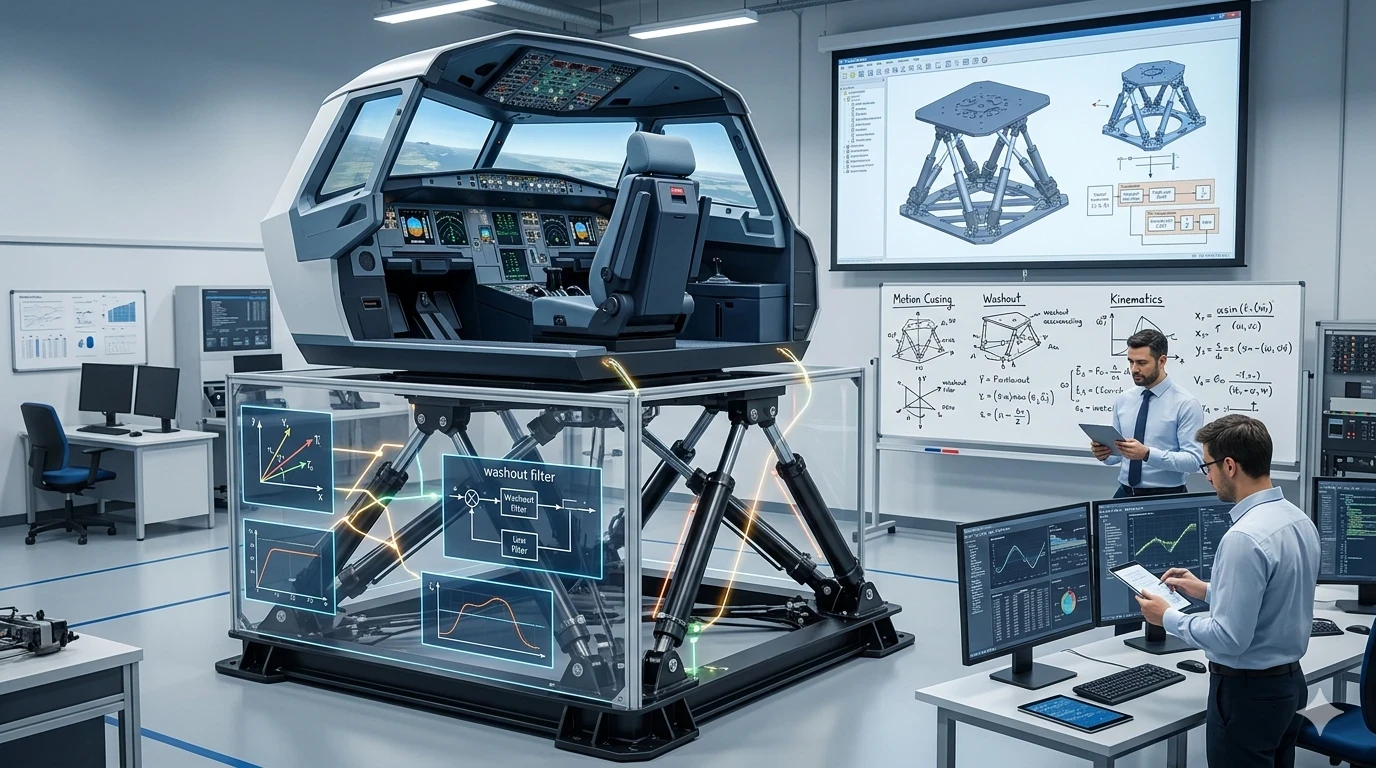
Motion simulation is what adds physical feedback to a flight simulator, helping recreate the sensation of movement during flight. Instead of relying only on visuals, the simulator introduces subtle motion cues that align with what’s happening on screen, making the experience feel more immersive and realistic. While flying through the digital skies, the simulator doesn’t just rely on the visual feast on your screens. Motion simulation adds another layer by introducing physical feedback that syncs with these visuals.
So, what’s the big deal about motion when you’ve got those fantastic visual displays? Whether you’re banking hard left or experiencing rough turbulence, motion simulation adds physical sensations that visuals alone can’t quite deliver. We’re talking about the way your body feels the movement–all those tilts and jolts that mimic what you’d expect if you were crew on an actual flight.
Motion simulation plays a key role in immersion. Without it, you’re relying entirely on visuals, which can feel limited during dynamic phases like turbulence or sharp turns. Adding motion introduces physical feedback that helps reinforce what you see, making the experience feel more connected and realistic. Add motion, though, and suddenly it’s like your seat’s flying along. The dips and dives are real, transforming the entire experience from a digital pastime into something visceral. It’s what turns simulations into genuine heart-pumping adventures! Whether you’re a rookie flyer or a seasoned pilot-in-training, understanding how motion elevates realism is key. If you’re working on improving control and handling, you may also find helpful insights in custom joystick configurations and control setup techniques available across your guides.
Mechanics Behind Motion Simulation
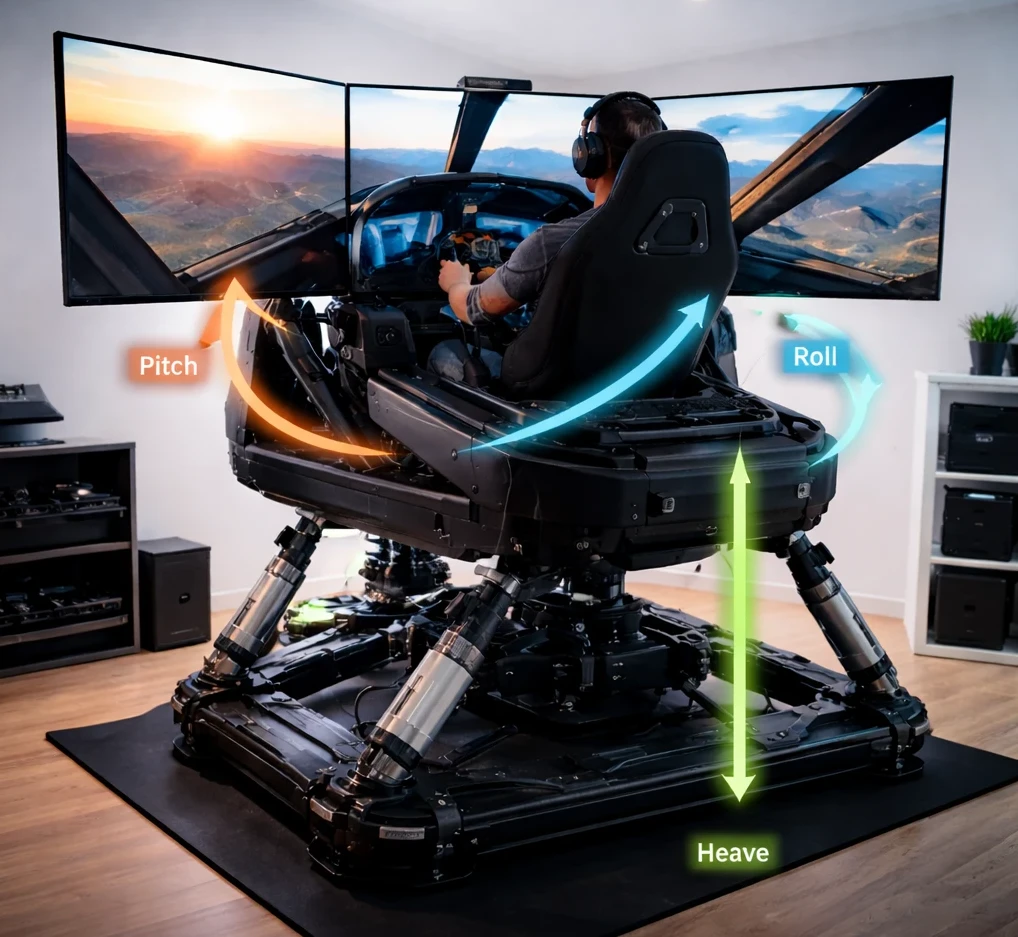
Let’s break down how motion simulation actually works in those flight simulators you might be itching to try. At the core, these systems start with something called motion platforms. Think of these as the foundation that moves around to generate those real-feeling flight sensations. The simulator processes flight data in real time and sends instructions to the motion platform, which moves accordingly. This allows the system to translate aircraft behavior—such as turning, climbing, or descending—into physical motion.
The magic lies in translating all the digital aerodynamics and flight patterns into physical actions. For instance, when the plane banks, the platform tilts, giving you that gut feeling of turning. Feel the acceleration or deceleration? That’s the platform pitching forwards or back at just the right moment. This transformative process turns a simple flight data stream into a symphony of precise movements. If you want to better understand how aircraft behavior translates into movement, you can review real-world aerodynamics concepts from NASA.
One essential component here is the tilt. Tilting is used cleverly to simulate acceleration and other maneuvers. By adjusting the angle of the platform, the system creates the sensation of acceleration or deceleration. For example, a slight backward tilt can simulate forward thrust during takeoff. This method relies on perception rather than actual force, but it is effective enough to feel realistic in most scenarios. While it’s not the same as actual G-forces, it can get pretty close, enhancing the experience without needing actual open skies. This makes it easier for anyone to better grasp complex maneuvers, adding a practical layer to learning and training with sims.
Impact of Motion Dynamics on Perception
Understanding how your brain interprets motion can really crank up your flight simulator experience. Even tiny movements can seem like big deals, and it’s all thanks to the way our perception works. Small movements generated by the motion platform are interpreted by the brain as larger forces. This allows limited physical motion to feel much more significant, creating a stronger sense of realism even within a restricted movement range.
Have you ever felt your stomach flip during a simulator session, even when you’re pretty sure the platform just nudged a bit? That’s perception at work. Our brains are trained to magnify even minute movements, tricking us into experiencing the full spectrum of flight sensations. This amplification means that even if the simulator’s range of motion is limited, your body tells a much bigger story.
This ability to exploit perceptual tricks is what sets apart a top-notch simulator experience. By engaging our senses, simulators create an immersive atmosphere, offering not just a visual but also a physical ride. This sensory engagement plays a huge role in grounding you in the virtual cockpit, providing feedback that your mind accepts as genuine flight dynamics. If you’re exploring deeper training scenarios, you can also check related flight planning tools and navigation workflow guides within your site.
For those who use simulators for training purposes, this simulation of real-world dynamics is crucial. It ensures users get a feel for the controls, experiencing scenarios that could occur in an actual cockpit. Better understanding these immersive tricks can help anyone using flight sims appreciate just how cleverly these systems bend reality to teach and thrill.
Techniques to Create Realistic Motion
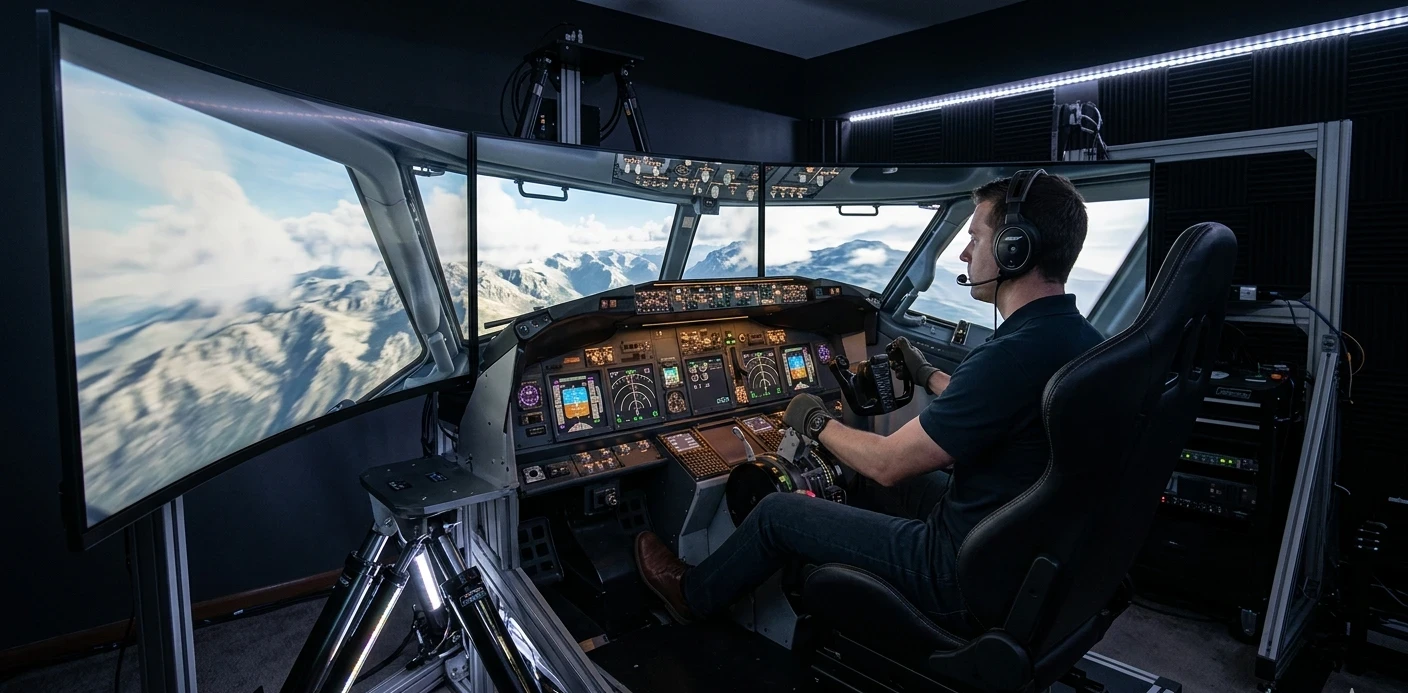
When aiming for lifelike flight simulations, motion cueing is a crucial technique. Motion cueing is the process of converting flight data into controlled physical movement. It determines how the platform responds to changes in aircraft behavior, ensuring that movements feel smooth and proportional. It dictates how the simulator’s motion platform should move to mimic a plane’s maneuvers. The challenge here is ensuring the transitions are as smooth as possible.
Precision in movement is key. No one wants a jerky or exaggerated motion throwing them off balance! The goal is to create fluid transitions that feel just right. This is why simulators use sophisticated algorithms to smooth out the data translation. By doing so, they ensure that every pitch, roll, or yaw feels natural and convincing.
To avoid overblown sensations—like feeling an extreme tilt when the movement is minor—the system adjusts the extent of motion. This kind of exaggeration doesn’t just break immersion; it can lead to unpleasant side effects like motion sickness. Strategic motion cueing helps maintain that delicate balance, making sure only the right amount of motion is delivered. You can also explore real-world flight planning and simulation scenarios using tools like SimBrief to test how motion behavior aligns with realistic flight conditions.
Mastering these techniques also means accommodating different phases of flight. Takeoffs, landings, sharp turns, and turbulence all require unique adjustments in motion. It’s about tailoring the movements to fit the scenario, offering users a specific kind of feedback without overwhelming them. If you’re refining overall performance, you may also benefit from flight simulator optimization and performance tuning guides available across your content.By concentrating on nuanced motion, simulators create a believable and comfortable environment for learners and enthusiasts alike.
Challenges in Motion Simulation Systems
While motion simulation can be thrilling, it doesn’t come without its set of challenges. Motion platforms have unavoidable physical limits. These systems can’t replicate the entire range of flight motions due to their structural boundaries, so that’s where washout filters step in. These clever components help bring the platform back to a neutral position smoothly, maintaining an ongoing illusion of motion without breaking the immersion.
Washout filters are the unsung heroes, ensuring the platform resets quietly. They balance out the movements, making the transitions seamless rather than disruptive. This means that while you’re banking left or right, the simulator gradually resets itself, preparing for the next set of maneuvers without you even noticing.
Further down the line, synchronization and latency can throw a wrench in your experience. A slight lag between motion and visual display can disrupt your perceptive flow.Even small delays between visual output and motion can disrupt the experience. If the timing is not synchronized, the movement may feel unnatural and can reduce immersion or cause discomfort. Keeping this latency in check is vital to create a harmonious simulator environment, one where mind and machine work seamlessly together.
When talking about real-time responses, any kind of delay can lead to motion sickness. Quick synchronization helps keep your experience precise, enjoyable, and, most importantly, comfortable. Avoiding these delays is not just about ensuring realism but also about preventing any unwanted side effects.
These challenges highlight the need for well-thought-out designs and state-of-the-art technology in motion simulation systems. With proper techniques and design balance, motion simulators can provide unparalleled training and entertainment value without the nausea. It’s not just about feeling like you’re flying—it’s about feeling like you’re flying right!
✈️ Bringing Motion Simulation Into Your Flight Experience
Motion simulation adds a layer of realism that goes beyond visuals, helping you feel how an aircraft moves rather than just seeing it on screen. From motion platforms and tilt-based feedback to perception and motion cueing, each element works together to create a more immersive and believable flight experience.
Even though these systems have limitations, the combination of smart engineering and human perception makes them highly effective. Small movements, when properly synchronized, can simulate complex flight dynamics in a way that feels natural and controlled. Whether you’re using a basic setup or exploring advanced motion rigs, understanding how these systems work helps you get more out of your simulator.
🚀 Take Your Flight Simulation Further
If you want to continue improving your flight simulation experience, explore more practical guides, setup tips, and in-depth tutorials on Flight Sim Essentials.
You’ll find helpful content focused on performance, realism, and control—designed to make your simulator feel more stable, immersive, and enjoyable.