
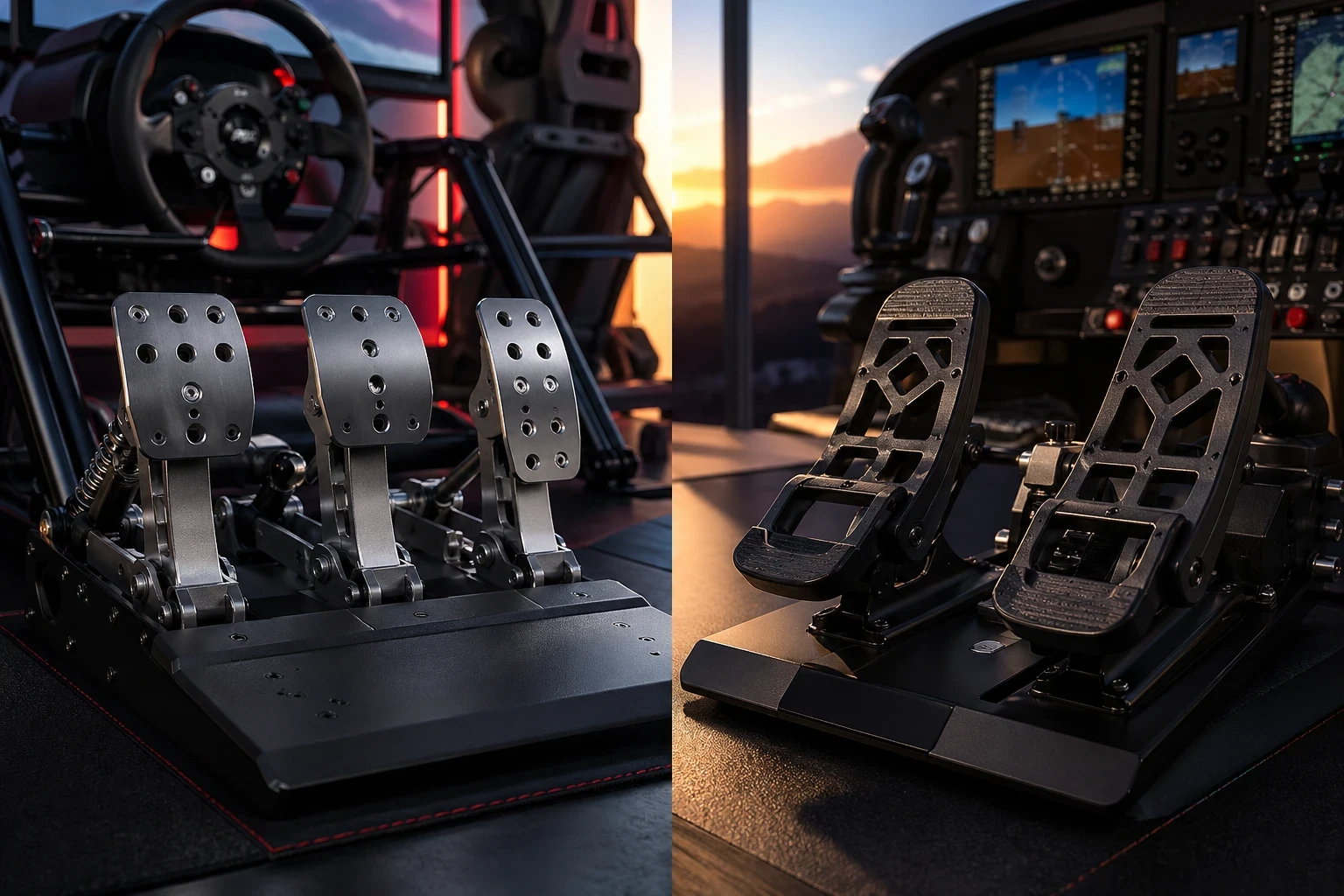
Sim racing and flight simulation may look similar on the surface, but the way pedals work in each is completely different. In racing, you’re focused on speed and braking precision. In flight simulation, it’s all about control, especially during taxi, takeoff, and landing. Getting the right pedal setup isn’t just a small upgrade—it directly affects how realistic and controllable everything feels.
In sim racing, pedals are all about the throttle, brake, and clutch. In sim racing, pedals control three main actions: throttle for acceleration, brake for stopping power, and clutch for manual gear changes. How these respond under your feet can make a big difference, especially when braking into corners or managing speed on exit. Figuring out how these work together can really elevate your racing game, especially when combined with proper calibration techniques often discussed in sim racing communities like racing simulator tips and discussions.
Switching gears to flight sims, pedals mean something different. We’re talking rudders and toe brakes. Switching gears to flight sims, pedals mean something different. We’re talking rudders and toe brakes. If you’re unsure which setup fits your needs, this guide on how to select the right rudder pedals for your simulator setup can help you make a more informed decision.Rudder pedals help you turn and steer, operating the aircraft’s tail, while toe brakes are all about slowing down and controlling your taxiing on the ground. A proper rudder pedal setup improves ground control, smoother turns, and better alignment during landing. Even small adjustments in pedal input can affect how stable the aircraft feels, especially in crosswind situations. For a deeper understanding of how rudder control works in real aviation, resources like basic flight control and safety principles can be helpful.
Understanding what you want from your pedals is the first big step. Are you looking for a pulse-pounding race experience or a sky-high flight adventure? Knowing that helps you decide on the pedal setup that best meets your needs. Pedals aren’t just accessories; they’re the bridge connecting your virtual and real-world physics, taking your simulator experience from good to “this feels real!”
So whatever your choice, remember that pedals aren’t just about pushing forward or pulling back. They’re about feedback, feeling, control, and those small details that make your virtual adventures real. Getting them right can make all the difference in enjoying your sim sessions.
Selecting the Right Pedal Type and Configuration
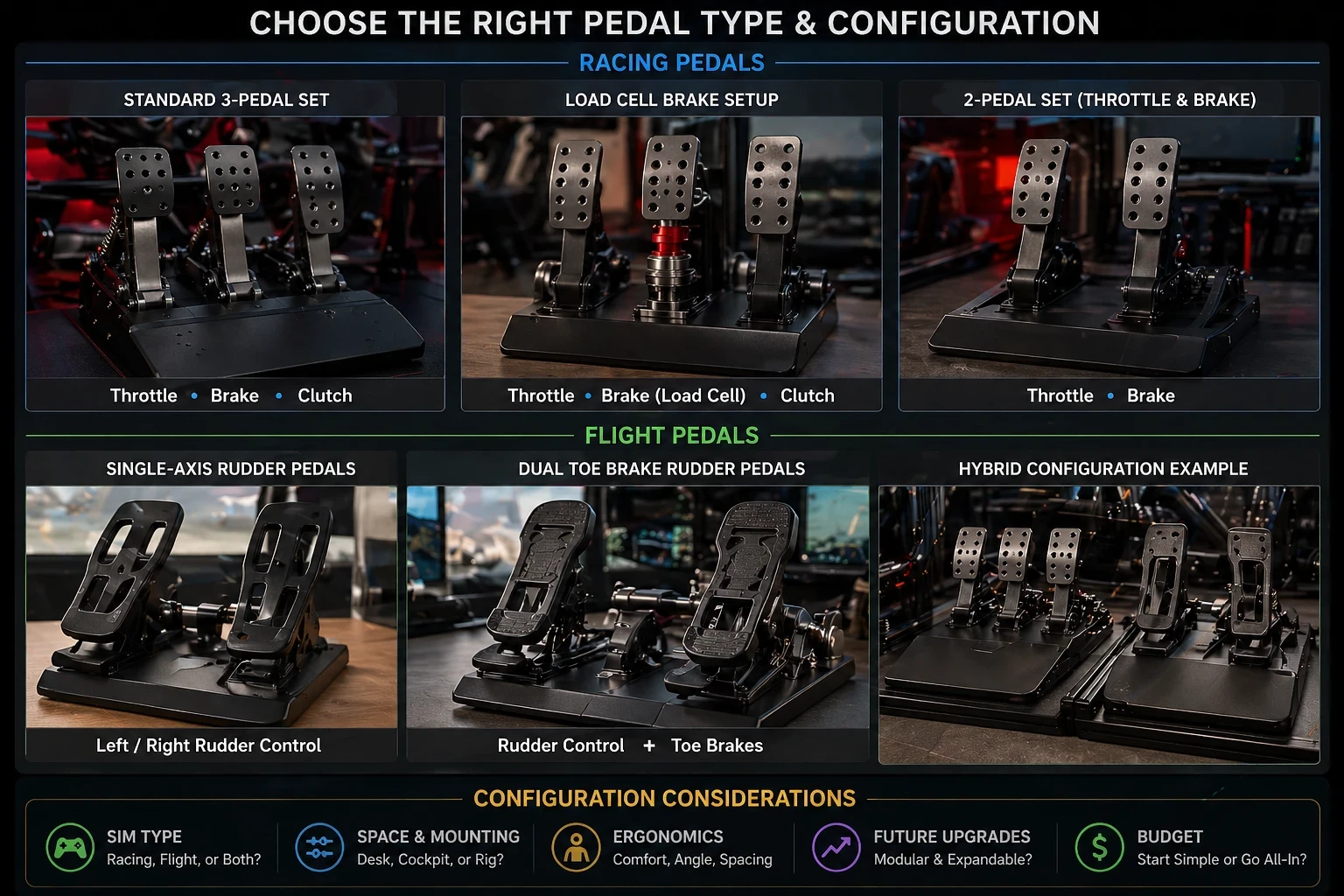
Choosing the best pedal setup for your simulation adventure means making sense of what’s out there. Whether you’re after the thrill of a race track or the challenges of a flight simulator, the right pedals can turn good gaming into a fantastic experience.
When it comes to pedal types, single-axis rudder pedals simplify things for flight sim enthusiasts. They’re straightforward, perfect for dialing into your flight without fuss. On the other hand, dual toe brakes offer more control, ideal for those who want every detail at their feet.
Racing gamers might find hybrid setups more to their liking. Mixing pedal types gives you the flexibility to experiment with different simulations. Maybe today it’s a tight corner on a Monaco track, tomorrow it’s mastering crosswinds during takeoff.
Choosing a pedal setup isn’t just about features—it depends on how you actually use your simulator. If you mainly fly, a simple rudder setup may be enough. If you switch between racing and flight sims, a hybrid setup gives you more flexibility without needing separate hardware. Love immersive speeds in racing sims, or do you prefer the craft of flying? Some users swear by keeping things simple, while others take joy in tweaking every possible setting to match their unique play style.
Ultimately, the pedal type you choose should align with your simulation interests and comfort. Customize based on where you want to excel, and don’t hesitate to try different setups until you find what’s comfortable and effective for your style. Your fun in simulation rides on the quality of how it feels underfoot.
Practical Insights into Design and Ergonomics
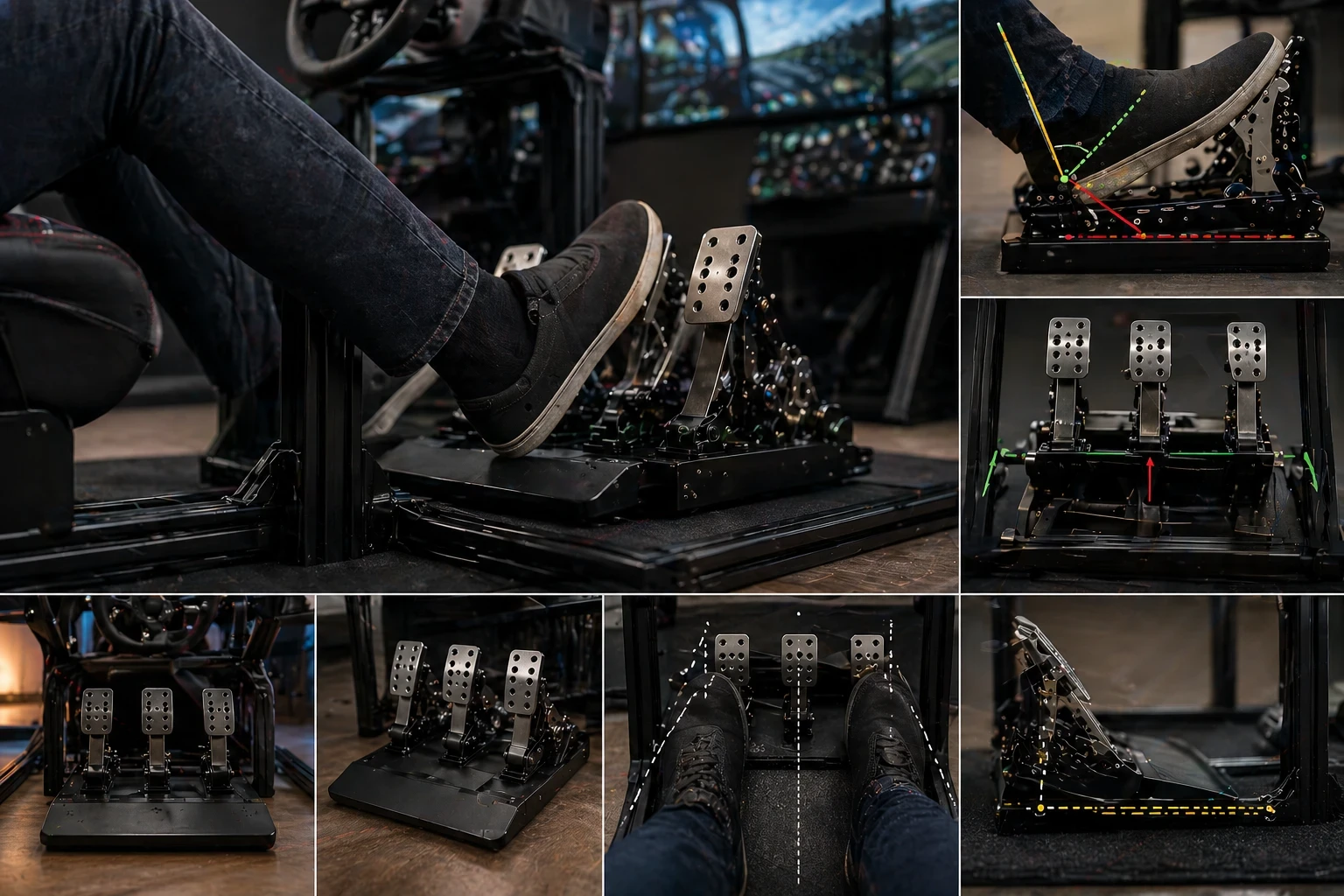
Designing pedals that feel just right during long sessions isn’t just about slapdash assembling. It’s about thinking through every angle and distance that makes a difference when you’re in the middle of a race or flight.
Foot angle plays a bigger role than most people expect. If the angle feels unnatural, you’ll notice it during longer sessions. A comfortable position helps you stay precise, especially when making small corrections during taxi or braking. Aim for a natural position that keeps you in control without causing pain over time.
Pedal spacing is another detail to focus on. Too cramped, and you’ll feel off-balance. Too wide, and reaching across can get clumsy. Every centimeter counts in making sure your feet can handle quick, decisive movements.
Choosing the right materials ties into both comfort and quality. While plastic might be budget-friendly, metal offers long-lasting durability and stability. Material choice affects both durability and stability. Plastic pedals are fine for starting out, but metal builds tend to last longer and feel more solid under pressure. If you plan to use pedals regularly, build quality becomes more important over time.
Ensuring stability to keep pedals from slipping is non-negotiable. Whether it’s a simple desk setup or a cockpit frame, keeping them steady so they don’t shift mid-use makes all the difference to handling tough turns or smooth landings. Many cockpit setup ideas and mounting solutions can also be found through community discussions on Reddit Flight Sim Communities.
Resistance involves more than just how hard you press — it’s about return and feel. Using springs or dampening systems can give a more realistic touch, making each press feel intentional and satisfying.
Good ergonomics isn’t just a checklist — it’s about tailoring everything to fit you and your simulation, ensuring both comfort and performance are top-notch no matter how long you play.
Sensor Technology and Calibration Essentials
Sensors play a crucial role in how smoothly your pedals respond to every press, twist, or turn. Choosing between technologies like potentiometers, Hall effect sensors, or load cells can feel daunting, but knowing their strengths simplifies the decision.
Potentiometers are common, often because they’re affordable and do a decent job for casual setups. They translate physical movements into signals but might wear out over time, leading to less precise control. For those starting out, they’re a reasonable option.
Hall effect sensors offer a bit more longevity and precision. They use magnetic fields to read movement without touching parts, often resulting in smoother and more precise responses. This can add the edge you need in competitive racing or detailed flight operations.
Load cell sensors measure pressure instead of movement, which gives more precise control—especially useful for braking in racing sims. They’re more advanced, but not always necessary for beginners. It’s like having pedals that learn how you like to drive or fly.
Once you’ve picked your sensor, the next step is calibration. Calibration is where everything comes together. Adjusting dead zones and sensitivity curves helps prevent unwanted input and makes control smoother. Even small changes here can noticeably improve handling.
Connecting to the sim environment isn’t just plug-and-play. USB connections are almost universal, smoothing the process, but fine-tuning pedal software is where precision comes in. Adapting to the quirks of specific simulators ensures that your pedal feel is always just right.
From there, the focus should be on continuous adjustments as necessary, shaping the pedal experience to meet the demands of whatever scenario you find yourself navigating in your sim journey.
Budgeting and Future-proofing Your Build
Starting out with sim racing or flight sim pedals doesn’t need a huge budget. When starting out, it’s better to focus on a simple, reliable setup rather than trying to get everything at once. You can always upgrade later once you understand what matters most for your setup. Focusing on core functionalities first lets you get up and running without breaking the bank.
When you’re just getting into pedals, it can be wise to start simple. A basic but solid setup gives you the essentials without all the frills. It allows you to learn what aspects you value most before dumping money into extras you might not need.
Understanding the limitations of budget-friendly builds can help manage expectations. They might lack some advanced features or durability, but they offer a taste and feel of what’s possible. Down the line, you can think about upgrading those parts that need a performance boost.
Long-term, planning an upgrade path helps you build a setup that grows with your interest and skill level. You might start with basic sensors and eventually swap in something more precise like Hall effect sensors or load cells. Or reinforce the structure with higher-quality materials once you’re committed.
A good approach is to build a setup that you can improve over time. You might start with basic pedals, then upgrade sensors or materials later. This keeps costs manageable while still improving performance step by step.
Bringing It All Together: Build What Works for You
Designing sim racing or flight simulator pedals isn’t about chasing the most expensive setup—it’s about building something that feels right for how you actually use your simulator. From choosing the right pedal type to fine-tuning ergonomics and sensors, each decision plays a role in how natural and responsive your controls feel.
Whether you prefer a simple rudder setup or a more advanced hybrid configuration, the key is to start with a solid foundation and improve it over time. Small adjustments—like pedal spacing, resistance, or calibration—can make a noticeable difference in both comfort and control.
What’s Your Next Step?
Now that you have a clear idea of how pedal design and setup work, the next step is simple—start applying it.
- Test your current setup and identify what feels off
- Adjust one thing at a time (angle, spacing, or sensitivity)
- Upgrade only when you know exactly what you need
If you want more practical setup tips and step-by-step guides, explore more content on Flight Sim Essentials to continue improving your simulator experience.