
Last updated on March 2nd, 2026 at 12:23 am

Getting started with flight simulators is one of the easiest ways to experience aviation fundamentals without stepping into a real cockpit. If you’re new to the world of virtual flying, it’s easy to feel overwhelmed by all the options out there. In this guide, we’ll break things down simply—what flight simulators are, why people love them, and which ones are best for beginners. By the end, you’ll have a solid idea of where to start and what to look for as you begin your journey into virtual aviation. 👉 To get a solid foundation first, check out our Getting Started With Flight Simulation Guide —it walks you through everything step by step.
Overview of Aviation and Flight Simulators
Aviation has come a long way since the Wright brothers first took to the skies in 1903. Today, thanks to modern technology, you can experience the excitement and challenges of flying right from your own computer. Flight simulators have become incredibly realistic, blending real-world physics with detailed visuals to recreate the feel of piloting an aircraft.
Originally used for military training, simulators have evolved into advanced programs that feature dynamic weather, realistic air traffic control, and fully interactive cockpits. They’re not just for professional training anymore—they’re great for anyone with a passion for aviation who wants to experience flight in a safe, virtual environment.
Why Use a Flight Simulator?
Flight simulators are valuable tools for learning the basics of flight, including how aircraft respond to controls, how navigation works, and how to handle different flying conditions. Guided tutorials and training missions can help new users build confidence step by step.
But they’re also a lot of fun. Whether you’re curious about aviation or thinking about flying lessons in the future, flight simulators offer a hands-on way to explore flying and develop useful skills at your own pace.
Getting Started: Essential Concepts and Equipment

Before jumping into virtual skies, it’s important to understand a few basic concepts and check that your equipment meets the necessary requirements. While system specifications might seem like a technical detail, they are crucial for running a smooth simulation. Many programs require a fast processor, sufficient memory, and sometimes a dedicated graphics card – according to the official system requirements for Microsoft Flight Simulator, these specs are a solid benchmark for smooth performance.
Beginners should look for simulators that are straightforward and offer clear, guided instructions.👉 For a breakdown of the most useful beginner tools, see our Essential Software and Tools for Novice Pilot Guide. Look out for adjustable difficulty settings; starting with simpler controls can help you get comfortable before moving to more realistic experiences. Here are some common terms you might encounter:
- System Requirements: The technical specifications needed to run the simulator, including compatible operating systems like Windows 10 or 11, processor speed, RAM, and storage space.
- Virtual Reality (VR) Compatibility: Some programs support VR headsets for a more immersive experience, although this usually requires additional hardware.
- Realistic Weather: Many simulators include dynamic weather features. Expect to adjust your flight path based on changing conditions like wind and rain.
- Multiple Aircraft Options: A variety of available aircraft lets you experiment with everything from small private planes to large commercial jets.
Having a handle on these concepts can help you choose a simulator that is not only entertaining but also educational.
Suggested Beginner Setup: A Simple Way to Get Started
If you’re just getting into flight simulation, a beginner-friendly setup can make a big difference. One option to consider is putting together a simple rig that includes the essentials — like a joystick, yoke, throttle controls, and rudder pedals.
The Logitech G Flight Yoke System is a popular choice among beginners for its realistic feel and plug-and-play compatibility. From my experience, the Thrustmaster T.Flight HOTAS One is a solid entry-level option Xbox. Many beginners also start with a simple joystick instead of a yoke, especially if desk space or budget is limited.
This kind of setup gives you a hands-on flying experience and helps you get comfortable with aircraft controls early on. It also makes the transition smoother if you ever decide to move from simulation into real-world flight training.
You don’t need anything fancy to start. The goal is to create a solid foundation, and from there, you can upgrade as your skills (and interest) grow. For a complete overview of beginner hardware, trusted aviation resources like Sporty’s Flight Simulator Guide is a great place to explore a complete gear overview.
Quick Comparison: The Best Flight Simulators for Beginners
Choosing the right simulator can feel overwhelming when you’re just starting out, so here’s a simple side-by-side comparison to help you decide. This table gives you a quick overview of difficulty level, hardware needs, and who each simulator is best suited for. You can skim through it in seconds, then scroll down for full details on each option.
| Simulator | Difficulty Level | Hardware Requirements | Best For |
| Microsoft Flight Simulator 2024 | Beginner–Intermediate | High | Realistic graphics, world exploration, guided lessons |
| X-Plane 12 | Intermediate–Advanced | Medium–High | Accurate flight physics, advanced learning |
| Aerofly FS 2 | Beginner | Low | Older PCs, smooth performance |
| Infinite Flight | Beginner | Mobile | Portable flying experience |
| FlyInside | Intermediate | Medium–High (VR) | Full VR immersion |
Top 5 Beginner-Friendly Flight Simulators

Now let’s get into the details of the top flight simulator options designed with beginners in mind. Each of these offers a unique mix of features and experiences to meet different needs:
1. Microsoft Flight Simulator 2024
Microsoft Flight Simulator 2024 stands out as a great all-around option. Known for its vast and detailed design, it delivers a realistic sky-high experience. With dynamic weather systems, a large selection of aircraft, and VR support, it pulls you into a strikingly real flying environment.
The software does demand high-end hardware, needing Windows 10 or 11, a recent Intel or AMD processor, a generous amount of RAM, and a dedicated graphics card. One of its limitations is its heavy reliance on cloud streaming, making a steady internet connection very important.
2. X-Plane 12
X-Plane 12 is famous for its realism. It covers many airports around the world and simulates air traffic control in a way that few others do. This focus on accurate flight dynamics ensures a very authentic experience, although it does come with a steeper learning curve and higher hardware requirements.
While there might be occasional compatibility hiccups with certain setups, X-Plane 12 is well-suited for those serious about understanding intricate flight mechanics.
3. Aerofly FS 2
Aerofly FS 2 is an excellent choice if your system isn’t the most powerful. It offers high-quality graphics and smooth performance on less demanding hardware setups. Although its scenery options and air traffic details are not as broad, it remains an attractive option for users prioritizing performance and vivid visuals.
4. Infinite Flight
Infinite Flight delivers a strong mobile experience, letting you take your passion for aviation on the go. It comes with an all-in-one navigation database and a community ready to help newcomers get started.
Even though its simulation depth might seem overwhelming at first, the many tutorials and an intuitive control interface provide a gentle introduction. Its portability means you can keep flying wherever you are, a feature that many users find very appealing.
5. FlyInside
Designed specifically for virtual reality, FlyInside offers a highly customizable and immersive experience that places you right in the cockpit. With VR support, you can truly feel like you are flying an aircraft.
The primary drawback is that it comes with a limited selection of aircraft and maps. However, if you’re focused on a virtual reality experience, FlyInside is a standout option that lets you enjoy an immersive simulation.
Common Challenges and Things to Consider
When beginning your journey into flight simulation, a few challenges may arise. Being aware of these beforehand can help make your experience smoother and more enjoyable. Some of the common issues include:
- Hardware Requirement: Many simulators require high performance from your PC. It’s very important to confirm that your system meets the recommended specifications to avoid unnecessary frustration.
- Internet Dependency: Some software, like Microsoft Flight Simulator 2024, depends on constant cloud streaming, so a stable internet connection is crucial.
- Realistic Weather and Controls: While realistic weather features add authenticity, they can also raise the difficulty level, meaning that beginners might need extra practice to adjust to in-flight changes.
- Complex User Interfaces: Some programs have many settings that can seem confusing to new users. Taking the time to check guides or watch tutorials can really help simplify the learning process.
- VR Setup: For simulators that offer virtual reality, the initial setup might require extra equipment and configuration steps. From my experience, although the VR setup process can feel intimidating at first, beginner-friendly guides make it much easier to get started.
Performance Considerations for Beginners
Performance can vary widely between different flight simulators, and a big part of choosing the right one comes down to how well it matches your hardware. Some sims are more demanding and require stronger systems to run smoothly, while others perform well on mid-range laptops or desktops with modest specs. Even when a simulator technically meets the published requirements, real-world performance may differ depending on your graphics settings, CPU load, and background applications.
This is why it’s important for beginners to review system requirements and look at how each simulator typically behaves on hardware similar to theirs. Selecting a platform that runs smoothly on your current setup makes the learning process far more enjoyable and avoids the frustration of stutters, long loading times, or inconsistent performance.
By keeping these factors in mind early on, new simmers can set themselves up for a smoother, more predictable experience and avoid many common first-time pitfalls. For additional guidance, check out our guide on the most common mistakes new sim users make.
Advanced Tips for a Better Flight Simulator Experience
Once you feel comfortable with the basics, you might want to explore ways to further step up your simulator experience. Here are some advanced suggestions to help you get the most out of your chosen flight program:
Customize Your Controls: Many simulators let you reassign functions to different buttons, pedals, or levers. Experimenting with these settings until they feel natural can make handling complex maneuvers much easier. For smoother control and better precision, our guide on essential hardware upgrades walks you through fine-tuning your setup.
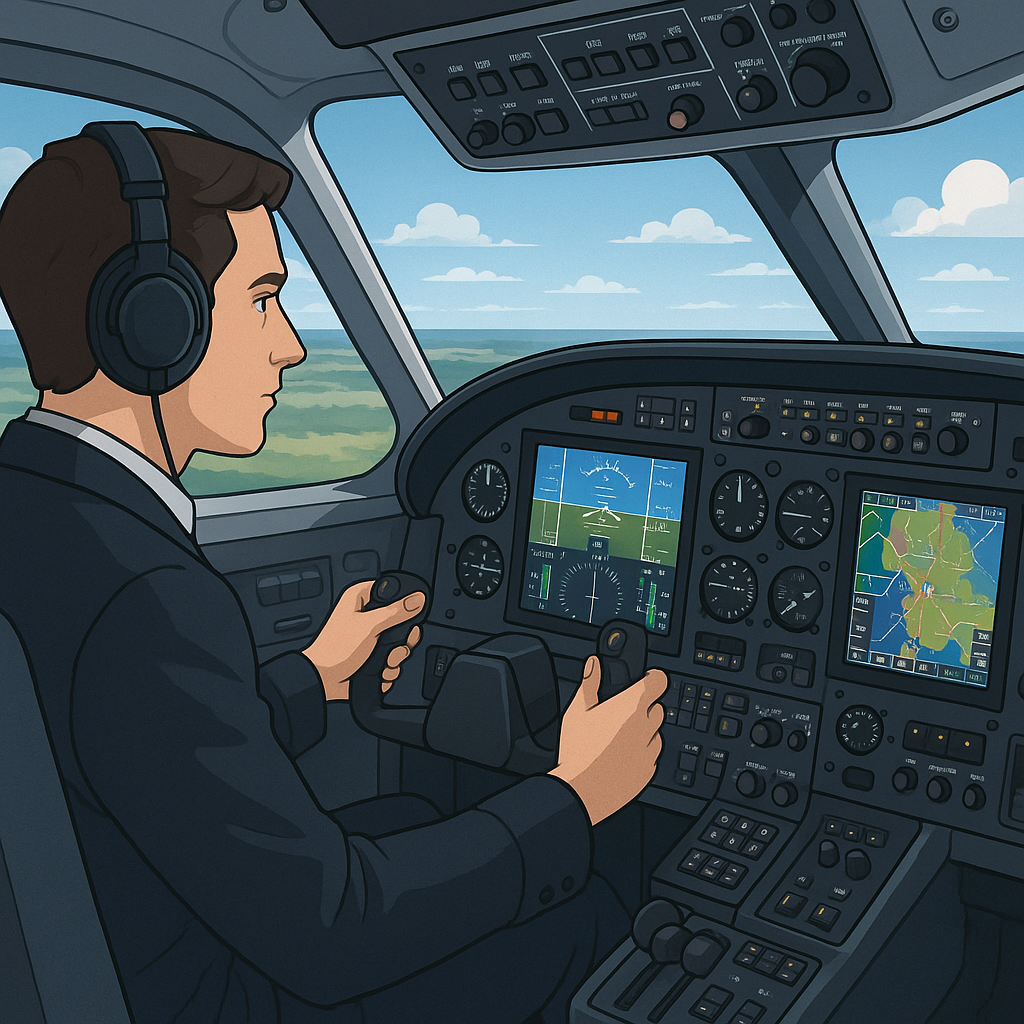
Learn the Cockpit Layouts: Spending extra time studying the design of your virtual cockpit can give you a clearer understanding of how each instrument works together. This knowledge can be particularly useful when troubleshooting during a simulation.
Use Community Resources: A wealth of knowledge is available through forums, video tutorials, and shared configurations posted by experienced simmers. Tapping into these resources can dramatically shorten your learning curve. Our roundup of top flight sim communities highlights some of the best places to connect, exchange tips, and grow your skills.
Experiment With Flight Routes: Branching out from your usual routes by trying different paths, weather conditions, or aircraft adds variety to your sessions and builds flexibility. This kind of experimentation trains you to adapt to changing scenarios. For ideas that push your skills further, explore our tips on developing a realistic and challenging flight plan.
Adjust the Difficulty Settings: It can be very helpful to begin on easier modes until you gain confidence. Gradually introducing more realistic challenges as your skills improve is a proven way to develop competence without overwhelming yourself.
Frequently Asked Questions
Below are some common questions that beginners tend to ask when starting with flight simulators:
Question: What is the best flight simulator for a complete beginner?
Answer: Microsoft Flight Simulator 2024 is an excellent choice for beginners. It offers beautiful graphics, step-by-step tutorials, and adjustable difficulty settings that let you learn at your own pace. Most new sim pilots find it the easiest program to start with because the interface is friendly and the learning curve is gradual.
Question: Do I need a high-end PC to run these simulators?
Answer: Not always. Programs like Microsoft Flight Simulator 2024 need stronger hardware, but lighter options such as Aerofly FS 2 or Infinite Flight work well on older PCs or mobile devices. Choosing a simulator that matches your computer’s power avoids lag and gives you a smoother learning experience.
Question: What if my computer meets the minimum requirements but the simulator is still laggy?
Answer: This is common. Meeting the minimum specs doesn’t always guarantee smooth performance, especially with high-detail scenery. In my own experience, X-Plane 12 struggled on a laptop that technically met the requirements, even on medium settings. Switching to X-Plane 11 produced far better performance. Beginners should start with lighter simulators or reduce graphics settings until everything runs smoothly.
Question: How can I get an immersive experience without buying VR?
Answer: A good joystick or HOTAS setup combined with a large monitor can feel surprisingly immersive. Most beginners start this way. VR can come later — it’s optional and requires stronger hardware, so you can always upgrade once you’re comfortable with the basics.
Question: Can a beginner learn to fly using a simulator?
Answer: Yes. Modern simulators include built-in lessons, guided flights, autopilot help, and simplified settings so beginners can learn gradually. You can start with simple aircraft and calm weather, then introduce more realism as your skills grow.
Question: Is there community support if I get stuck?
Answer: Absolutely. Every major simulator has active forums, Discord groups, YouTube tutorials, and user communities that help new pilots troubleshoot problems, set up controls, and learn proper flying techniques. Beginners rarely have to figure things out alone.
Wrapping Up
Flight simulators make it possible to experience the joy of flying without the financial and logistical challenges of real-world aviation training. They let you get a taste for the history of flight and experience realistic controls and weather conditions, all from your home. When choosing the right simulator, it’s important to consider your computer’s capabilities, whether you’re more drawn to realism or ease of use, and the kind of learning pace that suits you best.
Options like Microsoft Flight Simulator 2024, X-Plane 12, Aerofly FS 2, Infinite Flight, and FlyInside each bring unique strengths and potential challenges. The best approach is to try a few and see which fits your needs while offering just the right amount of complexity for your skill level. Still not sure which simulator best fits your goals? Here’s our guide to choosing the right flight simulator for your needs.
Personal Note:
Microsoft Flight Simulator remains my preferred platform because of how realistic the world and aircraft feel compared to older versions like Flight Simulator X. I haven’t been able to run it on my older laptop, but once I upgrade my system, I plan to try the 2020 or 2024 edition since the visuals and realism look far beyond anything I’ve used before.
Learning to fly—even in a virtual environment—takes patience and curiosity, so enjoy the process as you build your skills. Whether you’re here for fun, training, or exploring a future in aviation, every session in the simulator is a chance to improve, discover something new, and experience the joy of flight in a safe, controlled environment.
Starting out in flight simulation can feel overwhelming with so many options, so having a list geared toward beginners is incredibly helpful. From experience, I found that a user-friendly interface and solid tutorial system make all the difference early on. Do you think beginners should prioritize simulators that offer more arcade-style controls first, or is it better to dive straight into realistic settings to build good habits? I also wonder how important modding and third-party add-ons are for someone just getting started – is it something to worry about right away, or better left for later once the basics are mastered?
Hi Slavisa, great questions!
If you want to build good habits early, realistic settings are worth using from the start. But if you’re flying casually, arcade-style controls can make the first few sessions less overwhelming.
As for add-ons, they’re not needed right away — it’s better to learn the basics first and explore mods later.
Hi MElamin
I like how this article offers a clear and detailed breakdown of the best beginner-friendly options available, making it easy to find the right simulator for new virtual pilots. The explanations are simple, yet informative, covering everything from hardware requirements to the immersive experiences that each simulator offers. I especially appreciate the inclusion of tips on getting started, such as beginner setups and the importance of system specifications
Hi Ravin!
Glad you found the guide easy to follow. Understanding hardware needs and starting with simple setups really helps new sim pilots get comfortable. Happy to hear those tips were useful!
Loved this—super approachable and it neatly maps sim choices to skill level, hardware, and upgrade paths without overwhelming beginners. The focus on adjustable difficulty and community resources is gold; it keeps motivation high while skills build. Personally, I’d add a quick “good-enough” specs/settings table (1080p targets) and a controller-only path for folks without a yoke, plus a note on MSFS offline options for spotty internet. If I’ve got a mid-range laptop and a ~$100 joystick, which sim and starter settings would you recommend for the smoothest first month?
Hi Kavitha!
With a mid-range laptop and a ~$100 joystick, MSFS 2020 or X-Plane 11 on low–medium settings is a smooth place to start. Lowering traffic, reducing scenery distance, and capping FPS can help performance a lot.
And yes — a joystick alone is more than enough for your first month.
Great roundup! Quick question—do you think Microsoft Flight Simulator 2024 is actually practical for beginners, though? The hardware demands sound pretty steep, and I wonder if a new simmer might get discouraged if their setup can’t handle it smoothly. Wouldn’t starting with Aerofly FS 2 or Infinite Flight be a safer entry point until they know they really want to invest?
Hi Jannette!
You’re right — MSFS 2024 can be demanding, and beginners might struggle if their system isn’t strong enough. Aerofly FS2 or Infinite Flight are great entry points because they run well on modest hardware and still teach the fundamentals. Once someone is comfortable, upgrading to MSFS becomes a natural next step.