
Last updated on February 20th, 2026 at 09:16 am
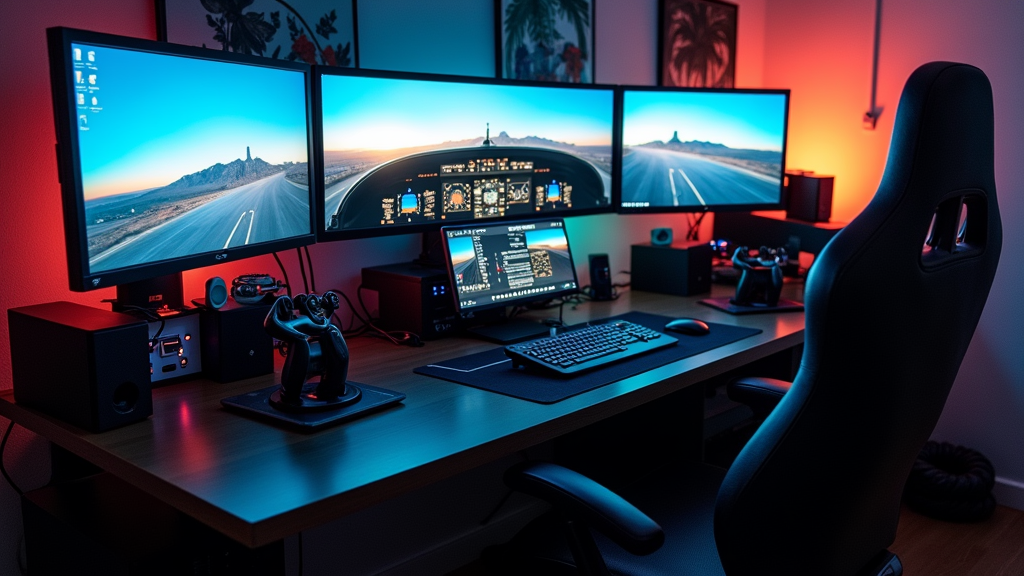
The setup shown above represents a more advanced custom build. In this guide, I’ll start with the basics and show how you can gradually work toward a setup like this over time.
Setting up your first custom flight simulator is a fun and rewarding project that brings the thrill of flying right into your home. I have spent time exploring various setups to create an experience that feels as real as possible. This article provides detailed guidance on configuring your computer, selecting peripherals, and customizing the environment. I will also answer common questions to help you build an efficient and immersive simulator setup.
Best Equipment You Need to Build a Home Flight Simulator
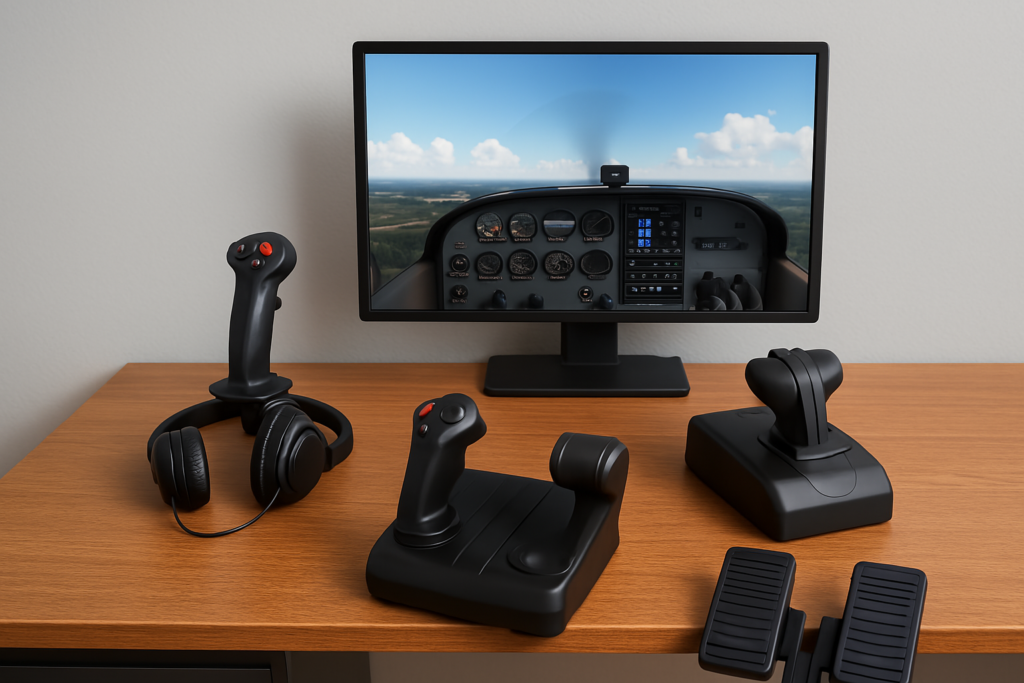
The first step in creating a life-like flight simulator is choosing the right equipment. Getting a setup that meets your needs can make a big difference in your overall experience. When I built my first custom setup using a joystick, I learned quickly that a strong CPU and GPU made the biggest difference in smooth performance, especially in busy airports.
Entry-level CPUs like the Ryzen 5 perform well for small GA aircraft and lighter scenery. But if you plan to fly airliners or use detailed airports and photogrammetry in MSFS, a stronger processor such as a Ryzen 7 or Intel i7 offers much smoother performance.
Look for a computer with a multi-core processor, plenty of RAM, and a solid graphics card to handle the demands of modern simulators. A monitor or even multiple screens can add to the immersion, depending on your budget and space. You also need a stable internet connection when running online simulation programs like Microsoft Flight Simulator.
Investing in quality peripherals plays a major role in how immersive your flight simulator feels. The right hardware improves control precision, comfort, and overall realism. Common peripherals many simmers start with include:
- A joystick or flight yoke for accurate pitch and roll control
- Throttle controls for smoother power management
- Rudder pedals to improve ground handling and coordinated turns
- A VR headset or standard headset, depending on how immersive or practical you want your setup to be
Putting these pieces together creates a more immersive and enjoyable simulation experience that genuinely elevates your setup. From long-running community discussions and popular home cockpit setups, Honeycomb Aeronautical has become a trusted name for high-quality yokes and throttle quadrants among simulation enthusiasts.
Watch: Beginner’s Guide to Flight Sim Hardware Setup
Based on clear, beginner-focused walkthroughs, this video from Flight Sim School provides a helpful visual overview of essential flight sim hardware—from joysticks and throttles to rudder pedals and headsets.
Step-by-Step Guide to Setting Up a Flight Simulator at Home
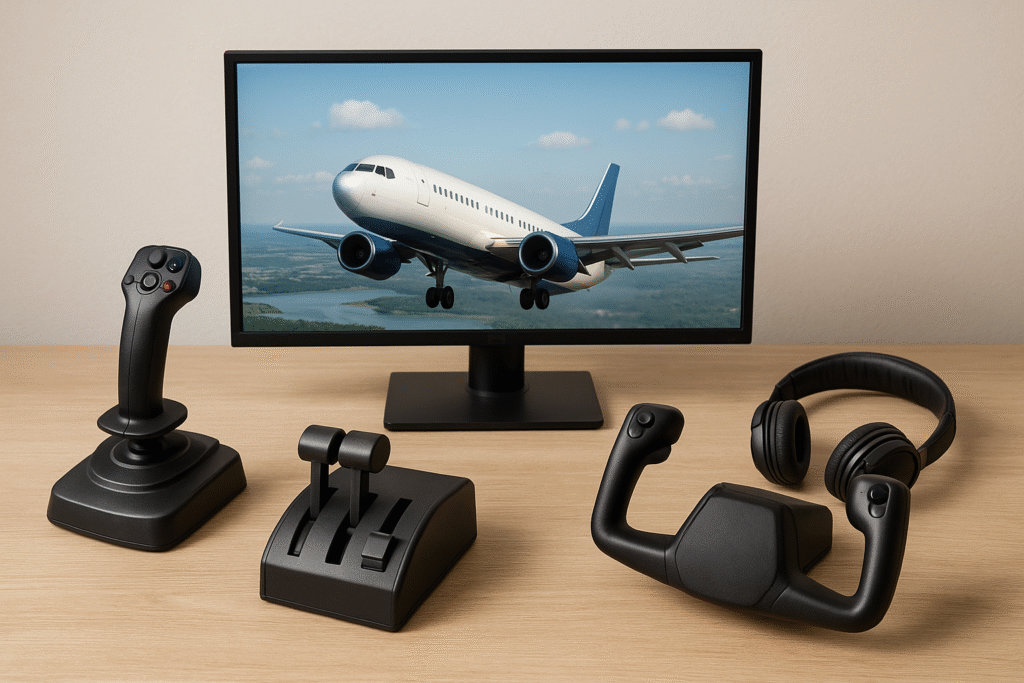
Before assembling your custom flight simulator, you must understand what equipment you need. A basic setup might include a computer, a monitor, and one or two simulation peripherals. The building blocks of your simulator include:
- Computer Hardware: A PC with specifications that meet or exceed the demands of modern flight simulators.
- Display Options: One large monitor or multiple screens to create a broader view of the cockpit.
- Control Interfaces: Flight sticks, throttle quadrants, and rudder pedals. These devices help simulate real cockpit controls and give you better control over the simulation.
- Audio Equipment: Speakers or a headset that can reproduce high-quality sound, adding another layer of realism.
- Optional Accessories: VR headsets and additional panels for extra simulation inputs can ramp up your experience.
This basic outline helps you decide on the essential components that your setup requires. Understanding what you need is the first step in building a system that suits your training or hobby goals. 👉 If you’re unsure where to begin, start with this flight simulation beginner’s guide.
What Do I Need to Set Up a Flight Simulator at Home?

If you are new to flight simulation, you might wonder what exactly you need to set up a simulator at home. I have found that a home-based simulation setup should include a high-performance computer, a large or multi-monitor display, and the simulation controls mentioned earlier. If you’re not sure which platform is right for you, here’s our guide on choosing the right flight simulator. A reliable internet connection is important for installing regular updates and connecting with other enthusiasts online.
In addition, consider having a comfortable chair, a safe desk space, and well-organized cables for ease of use. An environment that feels like a real cockpit can give a boost to both your enjoyment and learning curve as you practice flying. 👉 You might also like this guide on the best software tools for new sim pilots — it breaks everything down in more detail.
Microsoft Flight Simulator Setup: PC Specs & Controls You Need
Many users start with Microsoft Flight Simulator due to its accessible interface and realistic graphics. If you choose it as your primary sim software, there are certain hardware recommendations you should consider. According to the official system requirements published for Microsoft Flight Simulator, ensuring that your computer meets or exceeds the recommended specifications helps maintain smooth performance, especially when running complex scenarios and detailed scenery.
The typical setup for Microsoft Flight Simulator includes a powerful processor, a robust graphics card, ample storage space, and at least 16GB of RAM. This ensures you can run complex scenarios and large maps smoothly. Additionally, a dedicated flight stick, throttle, and rudder pedals are really important for a refined experience. Some users opt for a full multi-monitor display to maximize immersion, allowing multiple cockpit views and system readouts.
Microsoft Flight Simulator has built-in tutorials and assistance settings to help beginners understand the basics, making it a good starting point for those who may not have extensive experience with simulation platforms.
Best Flight Simulator Software Options for Beginners

Many newcomers to flight simulation ask, “What is the best flight sim for beginners?” Through my experiences, I’ve found that Microsoft Flight Simulator tends to be a popular choice. Its accessible user interface, realistic environments, and gradual learning curve have helped many users transition from beginner to a confident pilot. Other options like X-Plane or Aerofly FS might offer different experiences. For many aviation enthusiasts, however, Microsoft Flight Simulator provides a well-balanced start. The customizable settings allow you to progress at a comfortable pace without feeling overwhelmed.
👉 Still deciding? Check out our guide on Top 5 Beginner-Friendly Flight Simulators to see which platform best fits your needs.
Can a Noob Play Flight Simulator?
The answer is yes. You do not need extensive prior knowledge or complicated setups to start playing flight simulators. I have seen many beginners make significant progress by starting with default configurations and simple tutorials. These programs are designed with newcomers in mind to ensure that everyone, regardless of prior experience, can enjoy flying virtually.
With a basic set of controls, a beginner can start learning about aircraft operation, navigation, and even weather behaviors. Over time, as skills improve, you might choose to fine-tune settings or upgrade your equipment to push the experience further.
Key Factors to Know Before Buying Flight Simulator Equipment
Once you understand these core setup decisions, choosing specific hardware becomes much easier—and helps you avoid spending money on gear that doesn’t actually improve your simulation experience.
Investing in a flight simulator setup requires careful planning to ensure you purchase only what you truly need. I advise considering a few key points before making any major investments:
- Budget: Determine how much you are willing to spend. It is possible to build a basic simulator setup without stretching your finances too far. Start simple, then expand your gear gradually as you become more engaged with the simulation.
- Space and Setup: Find a dedicated area in your home where you can assemble your flight simulator undisturbed. Having a dedicated space helps you stay focused and also keeps your gear organized and protected.
- Component Compatibility: Check that the peripherals and computer hardware you choose are compatible with the software you plan to use, such as Microsoft Flight Simulator.
- Future Upgrades: Look for gear that offers room for future improvements. For example, a basic flight stick can later be replaced with a more advanced control panel as your skills develop.
Considering these factors upfront can help you avoid frustrations down the road and ensures that your setup can grow along with your advancing skills. To avoid unnecessary costs or frustration, be sure to read about the most common mistakes new sim users make.
Advanced Tips and Tricks for Simulation Enthusiasts
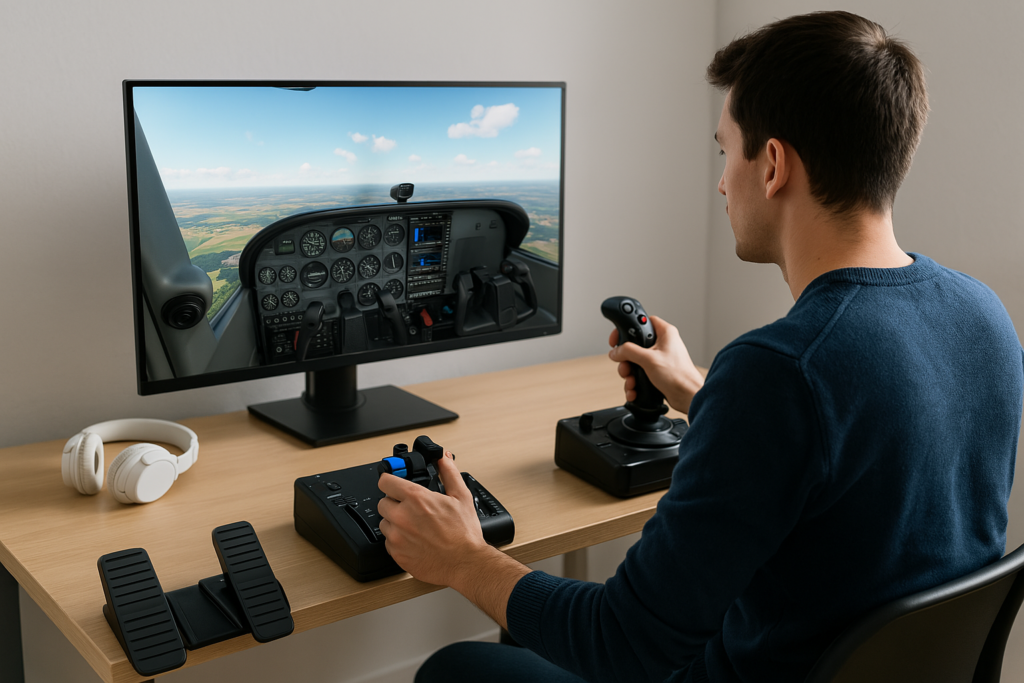
After you have set up the basics, I often experiment with advanced customization options to step up my simulation experience. Adjusting both software and hardware configurations can yield significant improvements.
- Fine-Tune Your Controls: Take some time to calibrate your flight stick and other peripherals. Fine-tuning improves responsiveness and can make flights feel more realistic.
- Customize Software Setting: Check out the configuration options in your simulator software. Adjust graphics settings, weather simulation details, and control sensitivity to match your personal comfort level.
- Add Realistic Scenery and Addons: Over time, adding overlays, high-resolution textures, and real-world scenery packs can step up the realism of your simulator. Explore our guide on flight sim add-ons and enhancements to see what’s worth installing. Although some of these features come at an extra cost, they often give a boost to the overall experience.
- Participate in Online Communities: Joining top forums and communities for flight sim enthusiasts or social media groups lets you share experiences and get tips from other enthusiasts. Many users contribute detailed tutorials, troubleshooting guides, and advice on hardware improvements.
These pointers can help you tailor your simulation experience and progressively enjoy an ever-more immersive setup. Stepping up your simulation gradually ensures that you stay comfortable with upgrades and changes as your skills improve.
The Basics: What Setup Do You Need for Microsoft Flight Simulator?
When it comes to Microsoft Flight Simulator, I have found that a well-rounded setup is key to making the most of its capabilities. The recommended setup includes a robust PC along with several peripheral devices to keep the experience smooth and engaging.
A computer with a multi-core processor, a high-end graphics card, and sufficient memory is the backbone of your simulator. The software often recommends specific hardware specifications to achieve smooth performance. Understanding these technical aspects helps you choose the right equipment without overspending.
For the peripherals, a quality joystick or yoke adds significantly to the feeling of control. In addition, a throttle quadrant and rudder pedals provide a more complete cockpit simulation. A multi-monitor setup can display different views simultaneously, which is very helpful for navigation, instrument panels, and environmental views. Some enthusiasts even set up a dedicated control panel that includes extra screens for communication, flight data, and other essential instruments.
This all-in-one setup is adaptable whether you are completely new to flight simulation or have some experience under your belt. It works well for a variety of scenarios, ranging from training purposes to casual virtual flying.
Extra Tips and Community Insights
Over time, I’ve picked up a handful of helpful tips that have made my simulator setup smoother and more fun to use. The flight simulation community is large and welcoming, and there is no shortage of advice or support available online. It is a good idea to explore community forums, watch video tutorials, and even check in with local simulation clubs if you have the opportunity.
One particularly valuable tip is to keep experimenting with software modifications. Many simulation enthusiasts share custom settings and control profiles that you can download and try out. This experimentation not only helps you get the most out of your hardware but also lets you discover unique methods to tackle common challenges faced during simulation flights.
In addition, investing time in understanding the finer details of aircraft systems—such as instrument behavior and environmental effects—can significantly improve your skills. Spending time reading up on aviation procedures and flight management practices can also make your virtual experience more rewarding. It is beneficial to set aside time each week to review new software updates, troubleshoot any issues, and learn from others who have mastered advanced configurations.
Moreover, many users have found that organizing regular online meetups or virtual fly-ins can add a social dimension to what might otherwise be an isolated experience. These gatherings give you a chance to swap ideas, share upgrade experiences, and even participate in friendly competitions. The synergy in these groups often leads to innovative approaches to simulation challenges, ultimately helping everyone involved to refine their skills further.
Finally, never underestimate the value of detailed record keeping. Maintaining a log of your setup changes, calibration tweaks, and even your flight performance can help you measure your progress over time. This methodical approach not only builds confidence but also ensures that you have a reference guide to fall back on when making future upgrades.
Frequently Asked Questions
This section answers some common queries that often arise when you start your flight simulator adventure.
Question: What do I need to set up a flight simulator at home?
Answer: You need a capable computer, a monitor or multi-screen setup, and flight controls such as a joystick, throttle, and rudder pedals. A stable desk, comfortable chair, and reliable internet connection help make the setup smoother. Beginners can start with a single monitor and a basic joystick, then upgrade gradually as they gain more experience.
Question: What setup do you need for Microsoft Flight Simulator?
Answer: Microsoft Flight Simulator runs best on a powerful multi-core processor, a strong graphics card, and at least 16–32GB of RAM. A flight stick, throttle quadrant, and rudder pedals improve realism, while a multi-monitor or ultrawide setup can expand your field of view. MSFS is one of the most demanding simulators, so meeting or exceeding the recommended specs helps maintain smooth performance.
Question: What is the best flight sim for beginners?
Answer: Microsoft Flight Simulator is a popular beginner choice thanks to its tutorials, realistic graphics, and beginner-friendly assistance options. X-Plane is another option for those who want more realistic flight physics. Both are beginner-friendly, but MSFS offers an easier learning curve and more visual immersion.
Question: Can a noob play flight simulator?
Answer: Yes, absolute beginners can enjoy flight simulators. Most platforms include step-by-step lessons, auto-assist settings, and simple starter aircraft. New users can begin with basic controls and default settings, then progress to more advanced features as they get comfortable.
Question: Do I need a VR headset or is a monitor enough?
Answer: A monitor is perfectly fine for beginners, and most new sim pilots start that way. VR headsets offer incredible immersion but require stronger hardware and more setup time. You can always begin with a standard display and upgrade later if you want a deeper “inside the cockpit” experience.
Question: Should I start with a joystick or a full yoke + throttle setup?
Answer: A joystick is the easiest and cheapest way to start. It works with all types of aircraft and requires very little space. A yoke and throttle quadrant provide a more realistic experience for airliners and GA aircraft but are optional for beginners. Many sim pilots upgrade only after they gain more experience.
Wrapping Up
Designing your own flight simulator setup can be a deeply fulfilling project. I believe that beginning with a clear plan and a solid understanding of the required components makes the process much smoother and more enjoyable. By choosing the right computer, selecting quality peripherals, and gradually incorporating advanced features, you can quickly move from a basic configuration to an elaborate simulation environment.
With a wealth of resources available online and communities ready to share advice, the adventure of building your custom flight simulator is both educational and fun. I encourage you to start with simple steps and gradually expand your setup as your skills improve. The sky is your limit when it comes to exploring virtual aviation. Each simulated flight is an opportunity to refine your skills and enjoy the intricacies of aircraft operation.
Remember to kick things off with enthusiasm and remain open to learning. Every tweak and adjustment you make brings you closer to a more realistic flying experience. Your custom flight simulator setup is not just about the hardware; it is also about the continuous learning and passion that fuel your adventures in the virtual skies.
If you’re ready to go beyond the basics, I recommend checking out Achieving Ultimate Realism With Custom Equipment or Exploring Advanced Avionics For Seasoned Sim Users for ideas on how to push your setup even further.
Your blog on setting up a custom flight simulator was incredibly detailed and informative! I loved how you broke down each component, from hardware to peripherals, making it easier for beginners to understand. The tips on fine-tuning settings and joining online communities were particularly helpful, adding a personal touch to the guide. It’s impressive how flight simulation has evolved to offer such immersive experiences. One thing I’m curious about—how do budget-friendly setups compare to high-end ones in terms of realism and performance?
Hi Kavitha!
Budget setups can still feel very realistic, especially for learning the basics. High-end gear adds more precision and immersion, but even a simple joystick and a few well-chosen peripherals can deliver a solid experience. Upgrading gradually is usually the best approach.
Setting up a custom flight simulator seems like an exciting yet complex process, especially when balancing realism with budget and available space. One challenge I’ve often wondered about is choosing the right hardware – how do you determine the best balance between performance and affordability when selecting components like yokes, pedals, and multiple monitors? Also, when configuring software settings, do you have any recommendations for optimizing frame rates without sacrificing too much realism? Have you found any particular hardware combinations that offer the best experience without breaking the bank?
Hi Slavisa!
A simple setup — one monitor and a joystick — is a great starting point for both cost and performance. Medium graphics settings usually give smooth frame rates on a mid-range PC. For hardware, the Logitech Extreme 3D Pro is a strong budget option, and you can add a yoke or throttle later as needed.
This guide is fantastic! I’ve always wanted to build a flight simulator setup but felt overwhelmed by all the hardware and software options. Breaking it down into essentials like the PC, peripherals, and even just having a comfortable chair makes it feel way more approachable. I especially liked the tip about starting small and upgrading later—that really takes the pressure off for beginners like me. Definitely bookmarking this as I start piecing my setup together.
Hi Jannette!
I’m glad the guide made things feel more manageable. Starting with the essentials and upgrading at your own pace really does make the process easier. Wishing you the best as you build your first setup!
This was such an exciting read! I like how you explained everything step by step, making the process of building a flight simulator feel approachable. The way you broke down the hardware, controls, and software really makes it clear for someone just getting started. It’s great that you also pointed out how immersive the setup can become with the right add-ons.
I’m curious—do you think starting with a yoke is better than a joystick for beginners? And have you tried VR with your setup yet, or do you think multiple monitors give a better experience?
Hi Leahrae!
For beginners, a joystick is usually the easier and more affordable starting point, and it works well with most aircraft. A yoke is great later if you want a more traditional cockpit feel. As for immersion, VR offers an incredible experience but needs strong hardware, while multiple monitors are easier to set up and give good situational awareness.