
Last updated on April 5th, 2026 at 09:53 pm
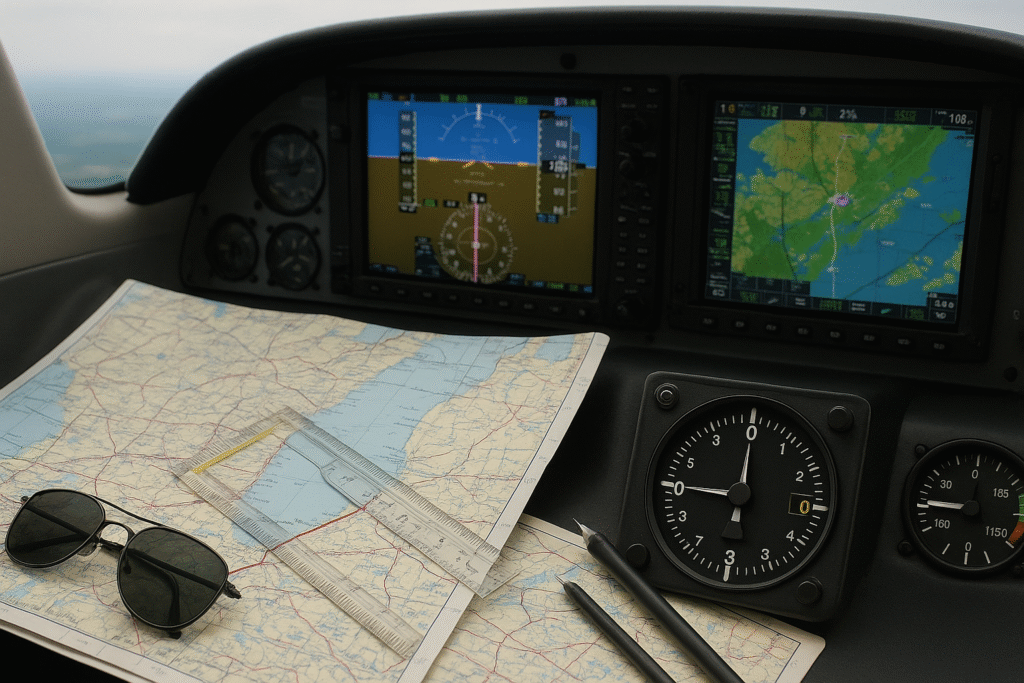
When I started planning flights in simulators, I quickly realized that choosing the right route isn’t just about distance—it directly affects how smooth the entire flight feels, especially during descent and approach.
Personally, I find the built-in flight planner in Flight Simulator X much easier to use than programming a full FMC—it’s quick, straightforward, and plans the whole route for you without extra steps.
When I started using SimBrief, I noticed it generated realistic routes instantly, but I still had to verify everything inside the FMC to avoid issues later in the flight.
When planning your trip, it’s crucial to find routes used by real airlines or typical GA paths. Picture this as taking the scenic route on your GPS instead of a back alley you’re unsure of. Real airline paths are built on years of experience, considering safety, efficiency, and weather conditions. Matching your planned route to the aircraft’s range and performance should feel like a high-five moment.
Not every aircraft is cut out for every mission. It’s like asking a scooter to take on a cross-country trek—it’s just not built for it. Think about your aircraft’s range, cruising speed, and what kind of airports it can realistically handle. I noticed this clearly when switching from smaller aircraft to the 737—planning that worked fine before required much earlier descent and better speed control.
Piecing all this together can almost feel like being the director of your own flight movie. The tools, route selection, and aircraft understanding are all scenes blending into a seamless journey. With the right plan, your flight will mirror that of a seasoned pilot working their magic up in the clouds.
Understanding Aircraft Capabilities: A Crucial Factor
Ever tried fitting a square peg in a round hole? That’s what planning a flight without understanding your aircraft’s capabilities can feel like. Getting to know your bird—whether it’s a trusty Cessna 172 or a mighty Boeing 747—is key to any successful flight plan. Think of this as learning the ins and outs of your favorite car before a long road trip, because knowing your machine makes all the difference.
Each aircraft comes with its own quirks and special needs. Cruise speeds and fuel burn rates are like the car’s mileage per gallon, and they differ significantly across aircraft models. A Cessna 172 is great for leisurely hops but not for marathon flights across the Atlantic. On the flip side, a 747 needs significant runway real estate to take off and land, so watch out for those short runways at smaller airports.
When planning, consider the aircraft’s runway length requirements. This is vital—imagine trying to stop a freight train in a parking space! Large aircraft need extended runways to accommodate their size and weight, so picking the right airports is non-negotiable. Always check the specifics for your aircraft and ensure your flight plan matches these requirements.
Whether you’re flying in a sim or planning a virtual flight marathon, adjusting your plans based on the aircraft’s abilities guarantees a smoother, more enjoyable experience. The key is to plan like a pro—know your cruise speed, estimate your fuel, and ensure the runway is sufficient. With solid knowledge of your aircraft’s capabilities, you’ll be handling that flight plan like a seasoned aviator.
✈️ My Experience Planning a Real Flight (Pearson to Newark)
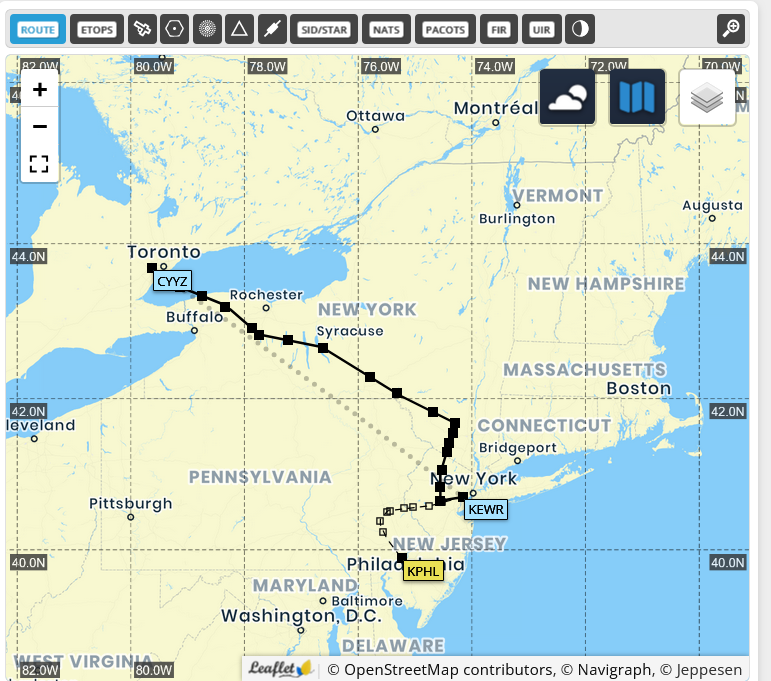

To put this into practice, I planned a short flight from Toronto Pearson (CYYZ) to Newark Liberty (KEWR) using SimBrief. It’s a relatively short route, but it still requires proper planning to get the altitude, speed, and descent timing right.
I selected a cruising altitude around 36,000 feet and used the generated route inside the simulator. While the planning itself was straightforward, the execution showed why planning matters. During descent, I realized I started coming down a bit late, which made the approach less stable than expected.
Even though the route was correct, small timing decisions—like when to begin descent—had a noticeable impact on how smoothly the landing came together. It was a good reminder that flight planning isn’t just about setting a route, but also about understanding how each phase of the flight connects.
Navigating Weather: Integrating Real-World Conditions

Weather is the ultimate wild card in flight planning, kind of like that unpredictable twist in your favorite TV show. But don’t worry, with the right info, it doesn’t have to be a surprise on your journey. Setting real-world weather conditions is crucial for added realism and practicing true-to-life scenarios.
Tools like METARs, NOAA, and ActiveSky serve up-to-date weather reports straight from the skies—sort of like having Mother Nature text you her plans for the day. Winds aloft data, visibility reports, and runway status are your go-to elements for planning. These are the keys to understanding if you’re in for a smooth ride or prepping for a rollercoaster.
Mapping out your flight with real weather in mind impacts crucial decisions: will those crosswinds be a problem? Is the visibility low because of fog? By integrating these factors into your flight plan, you’re learning to tackle challenges like a seasoned pilot.
Weather doesn’t wait for your plan—it changes fast. Check out how to integrate real-time weather data into your sim for smoother, more immersive flights.What looks clear at departure could be stormy by descent. Keeping tabs on live data helps you stay ahead of surprises like sudden headwinds or last-minute runway switches. Staying flexible in your plan makes you feel more like a real pilot and less like you’re reacting to a curveball.
Planning with weather in mind might sound like a headache, but it’s all about building skills. Tackling this part of flight planning not only adds realism but also amps up your preparedness and decision-making. You’ll be ready for whatever the skies throw your way, making flight a truly immersive experience.
Following Realistic Procedures: Filing and Navigating

Virtual flying isn’t just about taking off and landing—it’s about doing it like a pro, and that means getting your paperwork in order. Filing an ICAO flight plan might sound a bit stuffy, but it’s your way of telling the virtual airspace what you’re up to. Networks like VATSIM or PilotEdge expect this, and it’s a vital skill for anyone serious about sim flying.
Creating an ICAO flight plan includes essentials like your alternate airport, estimated time of departure and arrival (ETD/ETA), your route, and any specific remarks about your equipment. Think of this as your flight’s resume—highlighting every little thing the virtual controllers need to know to guide you seamlessly through the airways.
SIDs (Standard Instrument Departures) and STARs (Standard Terminal Arrival Routes) might sound fancy, but they’re your friends on this journey. These procedures mimic what real-world air traffic controllers use to keep aircraft organized in busy skies. They often come with altitude and speed restrictions, so knowing them turns you from a virtual pilot into an air traffic maestro.
SimBrief is like having your own personal flight planner. It will practically do the heavy lifting for you, generating all the flight plan details you need. It even handles the nitty-gritty stuff like real-world routing and Operations Flight Plans (OFP), plus it calculates fuel needs based on current conditions. With tools like these, you’re setting yourself up to meet the real-life standards that make virtual flying such a rich experience.
Embracing these procedures isn’t just about ‘playing the game right’; it’s about diving into the full experience of flying. This is where the thrill kicks in, as you navigate the skies with confidence and professionalism, knowing you’ve prepared just like the pros do.
⚠️ My Experience Using FMC with SimBrief (Common Issues I Faced)
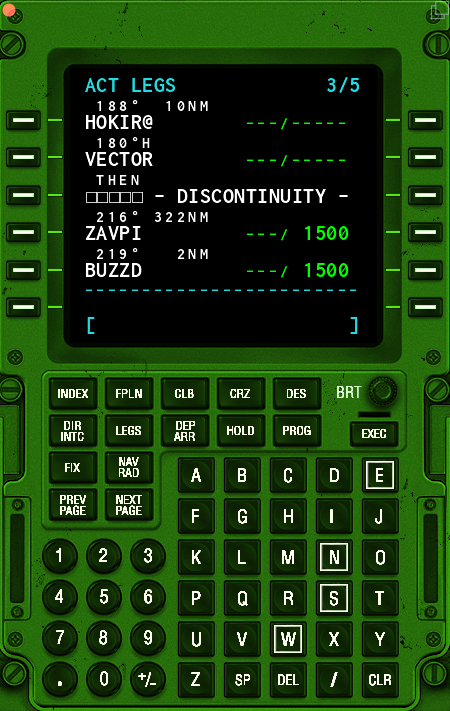
When I first started using SimBrief with the FMC in the Boeing 737-800, I assumed the route would load perfectly—but that wasn’t always the case.
One of the main issues I ran into was route discontinuities after selecting departures and arrivals (DEP/ARR). The FMC didn’t automatically connect all waypoints, which caused breaks in the flight path. At first, this was confusing because the route looked complete in SimBrief, but not inside the aircraft.
I also came across messages like “NOT IN DATABASE”, which usually happened when certain waypoints or procedures didn’t match the simulator’s navigation data. This made it clear that even a correct plan might need adjustments once loaded into the FMC.
To fix these issues, I had to:
- Manually connect waypoints
- Review the route step-by-step
- Recheck departures and arrivals before executing
This experience showed me that flight planning doesn’t end with generating a route—it continues inside the cockpit. Taking a few extra minutes to verify everything in the FMC can prevent problems later during the flight.
Fine-Tuning Details: Fuel, Waypoints, and Pre-Flight Briefings
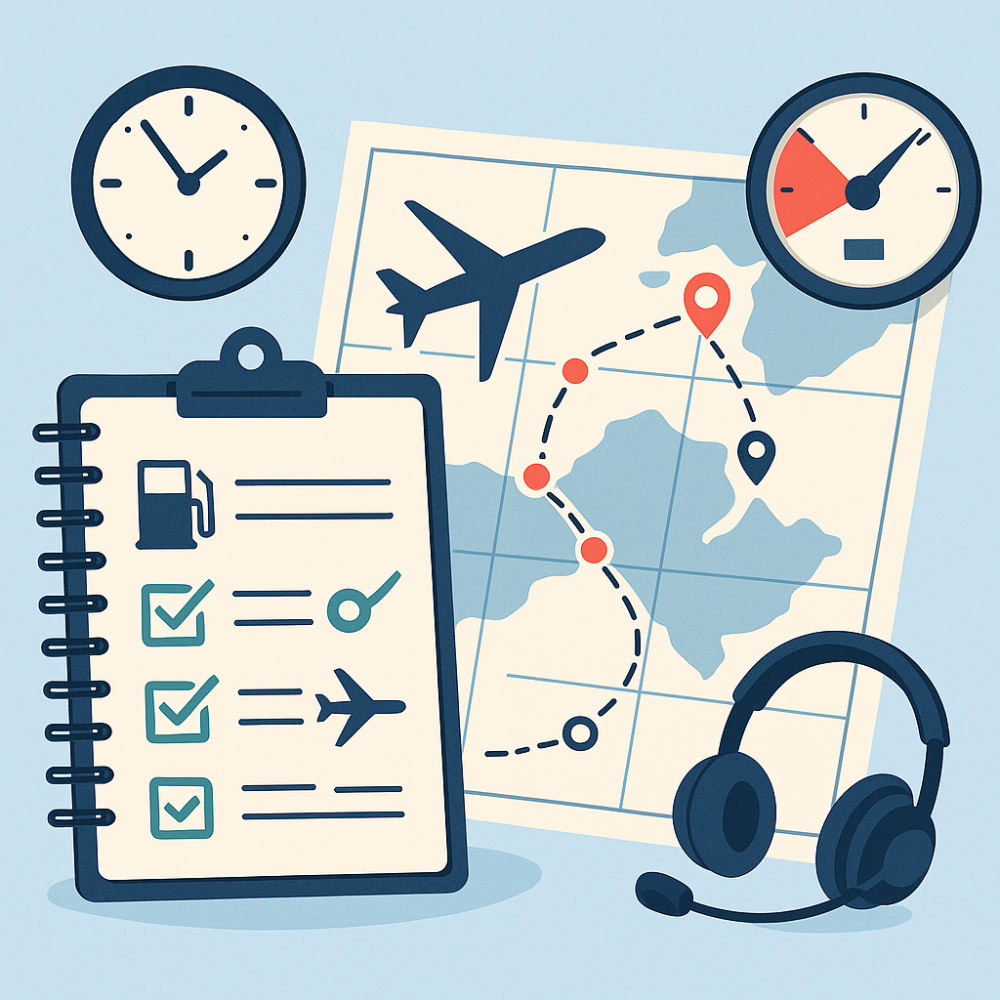
When it comes to successful flight planning, even the smallest details can make a big difference. Overlooking a simple waypoint or underestimating fuel needs could turn a picture-perfect flight into a nail-biting adventure. Adding those little checkpoints—like enroute fixes, VORs, and airways—is like seasoning a recipe just right. They pull everything together and help create a smooth, realistic navigation experience.
Think of fuel planning as budgeting for a road trip. You’d never set off without enough gas to get you there, right? The same applies to flying; make sure you have enough fuel on board, including reserves, to avoid mid-air math nightmares. Too little, and you could be in a sticky situation; too much, and it weighs you down (literally). Tools like SimBrief are great—they crunch those numbers for you, ensuring you’re airborne for as long as you wish to be, without any surprises.
Flight planning isn’t just A to B—it’s about the what-ifs in between. Always have a backup plan in your pocket. Just like you wouldn’t hit the road without knowing a detour, planning for alternate airports gives you breathing room. If the weather shifts or your primary runway goes out of service, you’ll be ready to pivot without scrambling.
Before you get the engines roaring, take a moment for a pre-flight briefing. If you’re new to sim flying, this step-by-step guide can help you prep like a pro. Reviewing the flight plan, re-checking weather conditions, and ensuring the runway in use aligns with your plan are like stretching before a workout. It gets you in the right mindset, avoiding any rushed decisions or overlooked inputs.
This habit of fine-tuning all the elements prior to flight can make a world of difference between a shaky journey and a smooth ride, turning every flight into a well-oiled masterpiece of virtual aviation.
⚠️ Common Flight Planning Mistakes I Made (And What I Learned)
Even with the right tools and a solid route, I still ran into a few mistakes that made my flights more difficult than they needed to be.
One of the biggest issues was starting my descent too late. On a few flights, including one into Newark, I stayed at cruising altitude longer than I should have. This made the aircraft too high and fast on approach, forcing me to adjust quickly and, in one case, go around before landing.
Another mistake was relying too much on the planned route without verifying it in the FMC. Even when using SimBrief, I learned that it’s important to double-check waypoints, arrivals, and transitions inside the aircraft to avoid surprises during the flight.
I also underestimated how important it is to match the aircraft type with the route and airport. Larger aircraft require more planning, especially when it comes to descent timing and runway alignment.
These mistakes helped me understand that flight planning isn’t just about getting everything “set up”—it’s about staying aware and making adjustments throughout the flight. Fixing these small issues made a noticeable difference in how smooth and controlled my landings became.
Final Thoughts: Plan Like a Pro, Fly Like One Too
A solid flight plan is more than just lines on a map—it’s the foundation of a smooth, immersive sim experience. Whether you’re using built-in planners, exploring real-world tools like SimBrief or SkyVector, or learning to factor in weather and aircraft performance, every step you take builds confidence in the virtual skies. Ready to take your planning to the next level? Check out our Essential Software And Tools For Novice Pilots to sharpen your toolkit before your next takeoff.
Awesome tips for a more realistic flight plan !
Thanks for the feedback. 🙂