
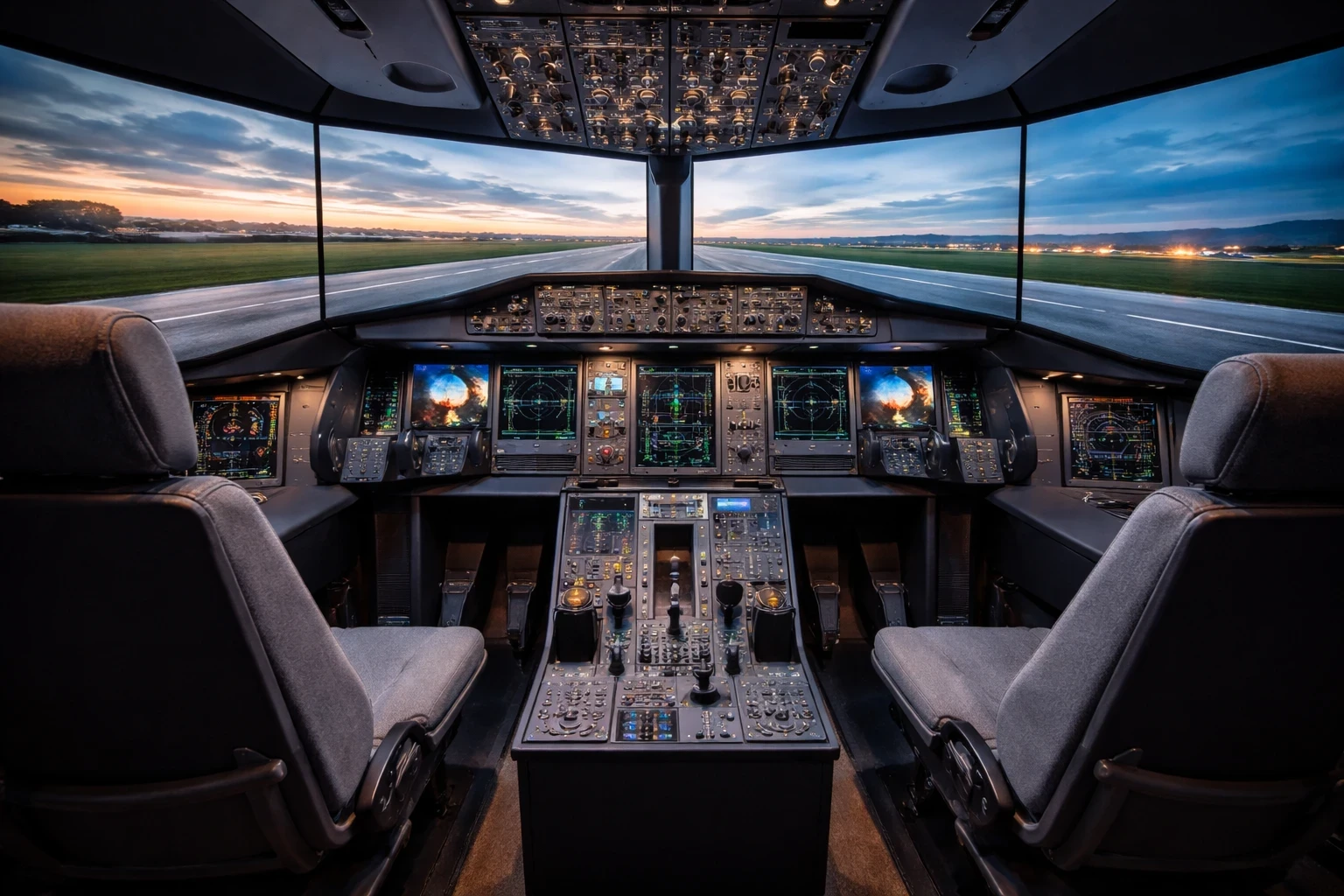
Full cockpit replication is what separates a basic setup from a truly professional simulator. It focuses on matching the real aircraft layout as closely as possible, from panel positioning to how each control is placed and used. Picture a cockpit where every panel, switch, and instrument is in its rightful place. This isn’t just a flight enthusiast’s dream; it’s a must-have for professional training, especially in certified systems used by organizations like FAA training environments. This isn’t just a flight enthusiast’s dream; it’s a must-have for professional training.
Full cockpit replication is what separates a basic setup from a truly professional simulator. It focuses on matching the real aircraft layout as closely as possible, from panel positioning to how each control is placed and used. It’s like walking into your office where everything is exactly where you need it — no surprises. This familiarity reduces the learning curve and builds confidence.
Different aircraft types mean different cockpits. Hence, simulations aren’t one-size-fits-all. Whether it’s an airliner or a general aviation aircraft, each type has its quirks and specifics — all replicated in high-end simulators. This replication allows for precise training tailored to the specific aircraft pilots will operate in real life, similar to structured workflows explained in FMC programming tutorials. This replication allows for precise training tailored to the specific aircraft pilots will operate in real life.
And it’s not just about the physical appearance. The tactile feedback — how the switches click, the feel of the panels — it all adds to the immersion. When pilots can train as if they’re truly in the cockpit, they learn to respond intuitively to the instruments and controls, making their transition to real-world flying smoother and safer.
In short, full cockpit replication is a cornerstone in flight simulator rigs, offering realism that nurtures competent and confident pilots ready to soar the real skies.
Command and Control: High-Quality Flight Controls
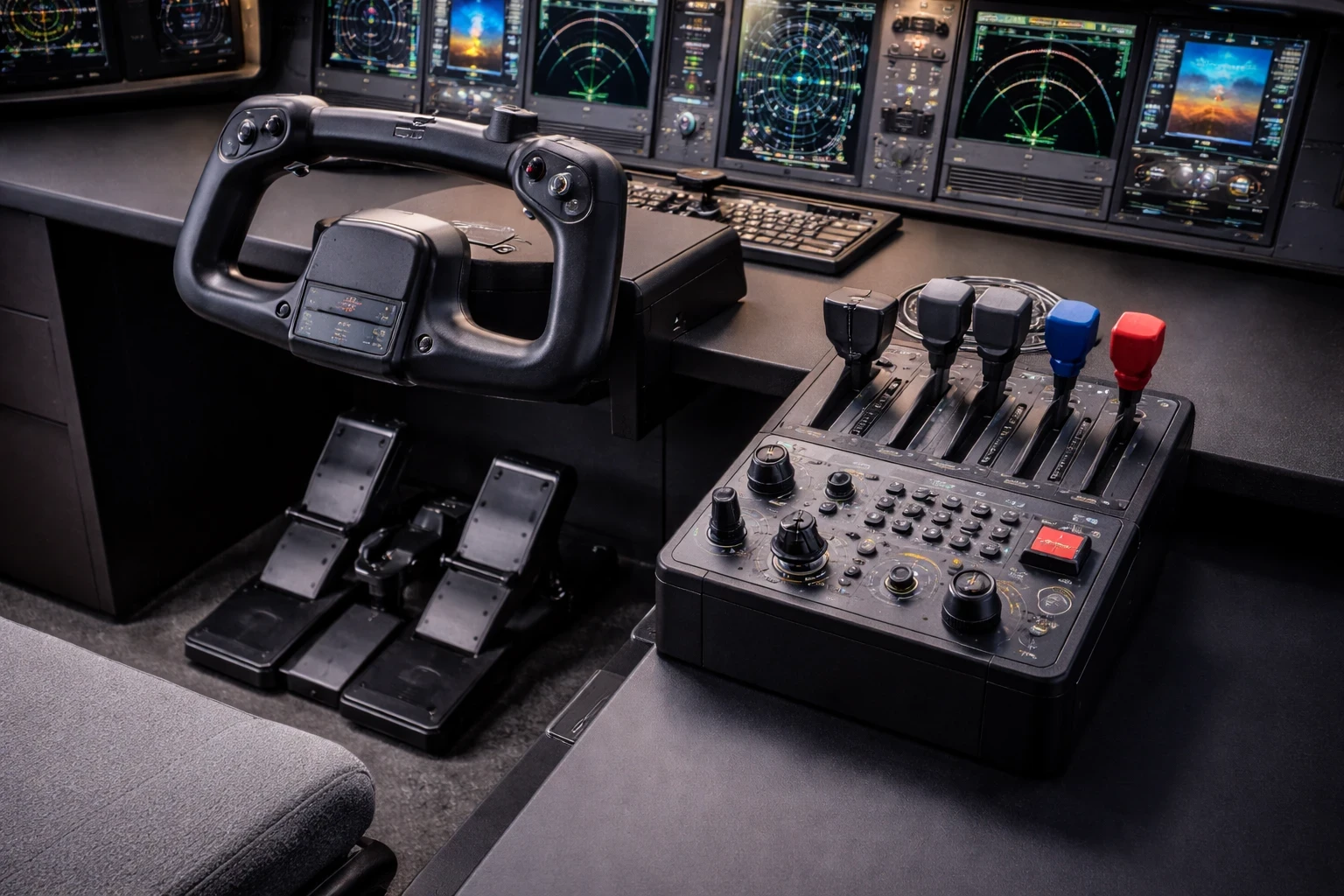
High-quality flight controls are one of the biggest differences between a basic setup and a professional rig. The more precise and stable the controls feel, the easier it is to manage the aircraft accurately. With yokes, sidesticks, and throttle systems that echo the real deal, these controls bring authenticity right to your fingertips, especially when compared with hardware options discussed in this throttle quadrant buyer’s guide.
A well-built yoke or sidestick should feel solid and responsive, not loose or overly sensitive. That consistency helps build control habits that translate better when switching between different aircraft types. This isn’t just about realistic fun—it’s about building muscle memory. When controls respond just like those in a real aircraft, it helps pilots gain the instinctive handling skills necessary for safe flight. From my experience, the cockpit in smaller aircraft like the Cessna 172 is much easier to navigate, while the Boeing 737 is more complex with many additional switches and systems. After practicing with the FMC and watching a few tutorials, programming routes became much easier. Learning how to enter airport codes, waypoints, and runway selections, then activating the route using the EXEC command, made the process feel much more natural over time.
Using the Logitech Extreme 3D Pro has been a solid experience. It made controlling the aircraft during takeoff and landing much easier compared to using a keyboard. In Flight Simulator X, the setup was simple, while in X-Plane it required more adjustment, especially setting the dead zone and recalibrating the joystick to achieve smoother and more stable control.
Force feedback or resistance isn’t just a fancy feature—it’s crucial. When a simulator replicates how controls react to different flying conditions, pilots get a taste of the pressures and challenges they’ll face up in the air. This experience is invaluable, giving trainees a sense of what to expect in real-world turbulence or challenging maneuvers, something also highlighted in broader simulator training discussions by Pilot Institute.
Durability is another key aspect. Professional-grade controls are built for the grind. Picture equipment that’s ready to withstand countless hours of practice and still keep ticking. Durability means pilots can train without worrying about wear and tear, always trusting in their gear.
Effective training relies on controls that don’t just look the part but play it flawlessly. Quality flight controls ensure every session is as close to reality as possible, empowering pilots with the skills they need to handle real aircraft confidently.
Inside the Dashboard: Integrated Avionics Systems
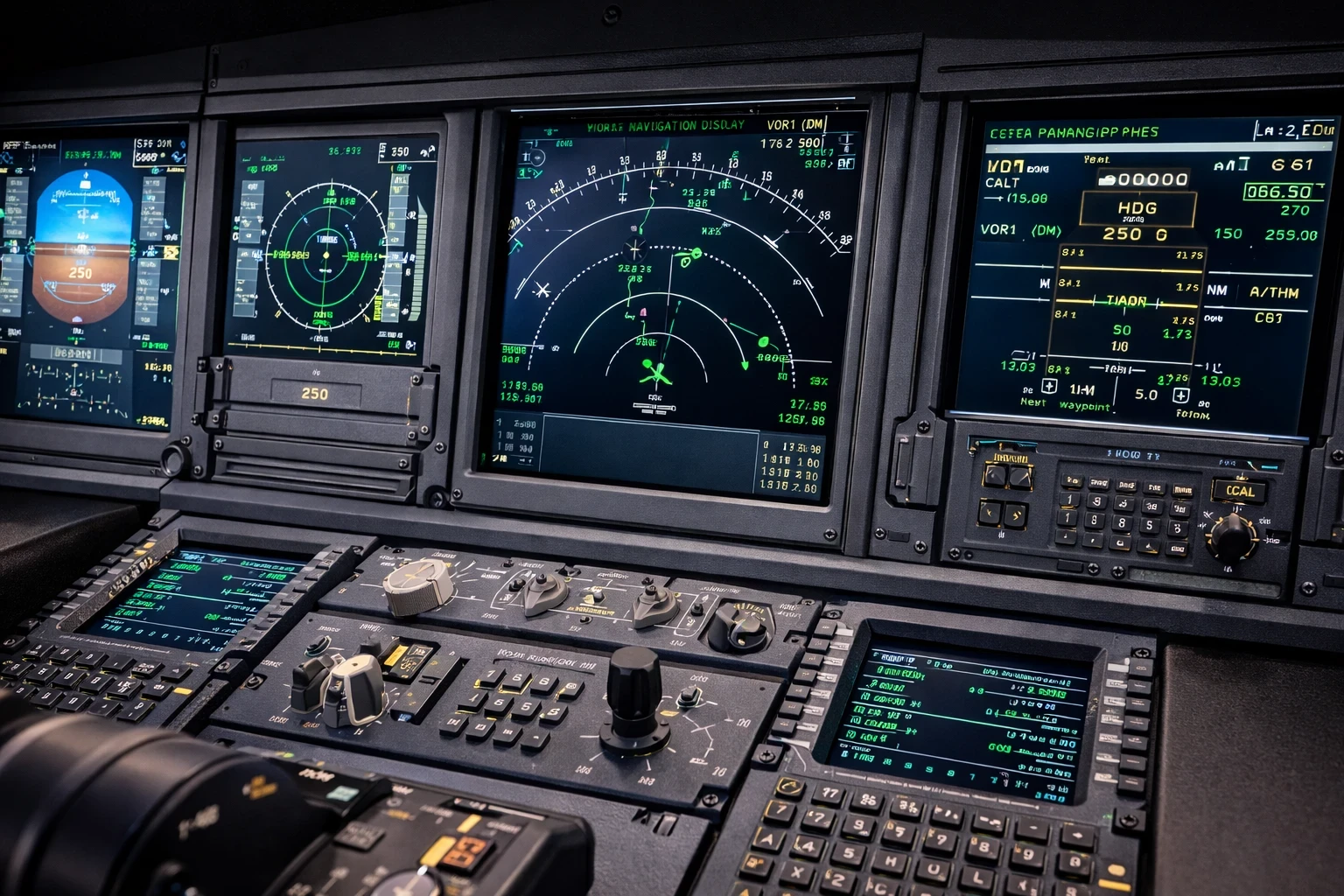
Integrated avionics systems are where a simulator starts to feel like a real cockpit rather than just a visual experience.Imagine having functional displays like the Primary Flight Display (PFD) and Navigation Display (ND) that light up with information just as you’d see in an actual cockpit. These aren’t just about visuals—they’re the pilots’ lifeline at 30,000 feet, keeping them informed and on course, especially when paired with tools covered in flight planning and navigation apps.
Systems like autopilot and the Flight Management System (FMS) add another layer of realism by allowing full flight control through programmed routes and procedures. These systems aren’t merely for show. They’re intricately designed to operate like their real counterparts, teaching pilots how to manually manage flights or let the systems assume control under various scenarios. Learning to engage and monitor these systems effectively can make all the difference in handling complex air operations.
When I first used the FMC, it felt overwhelming, but after navigating through it step by step, I learned how to enter flight routes properly. I initially ran into issues with route discontinuities, but fixing them and removing vectors helped connect the route directly to the selected runway. Using SimBrief also made a big difference by providing structured routes and waypoints that were easier to follow.
But accuracy is everything. The more precise the system simulation, the better prepared a pilot is for reality. From throttle settings to altitude adjustments, having an accurate simulator is akin to a dress rehearsal. Pilots can practice decision-making and problem-solving in a safe yet challenging environment.
For those pursuing aviation as a career, the replication of these avionics systems builds confidence and competence. Understanding and navigating the digital landscape of a cockpit in simulation molds pilots to become adept navigators of the real thing, ensuring they’re well-prepared for the skies.
Visual Horizon: Multi-Screen or Wraparound Visual Displays
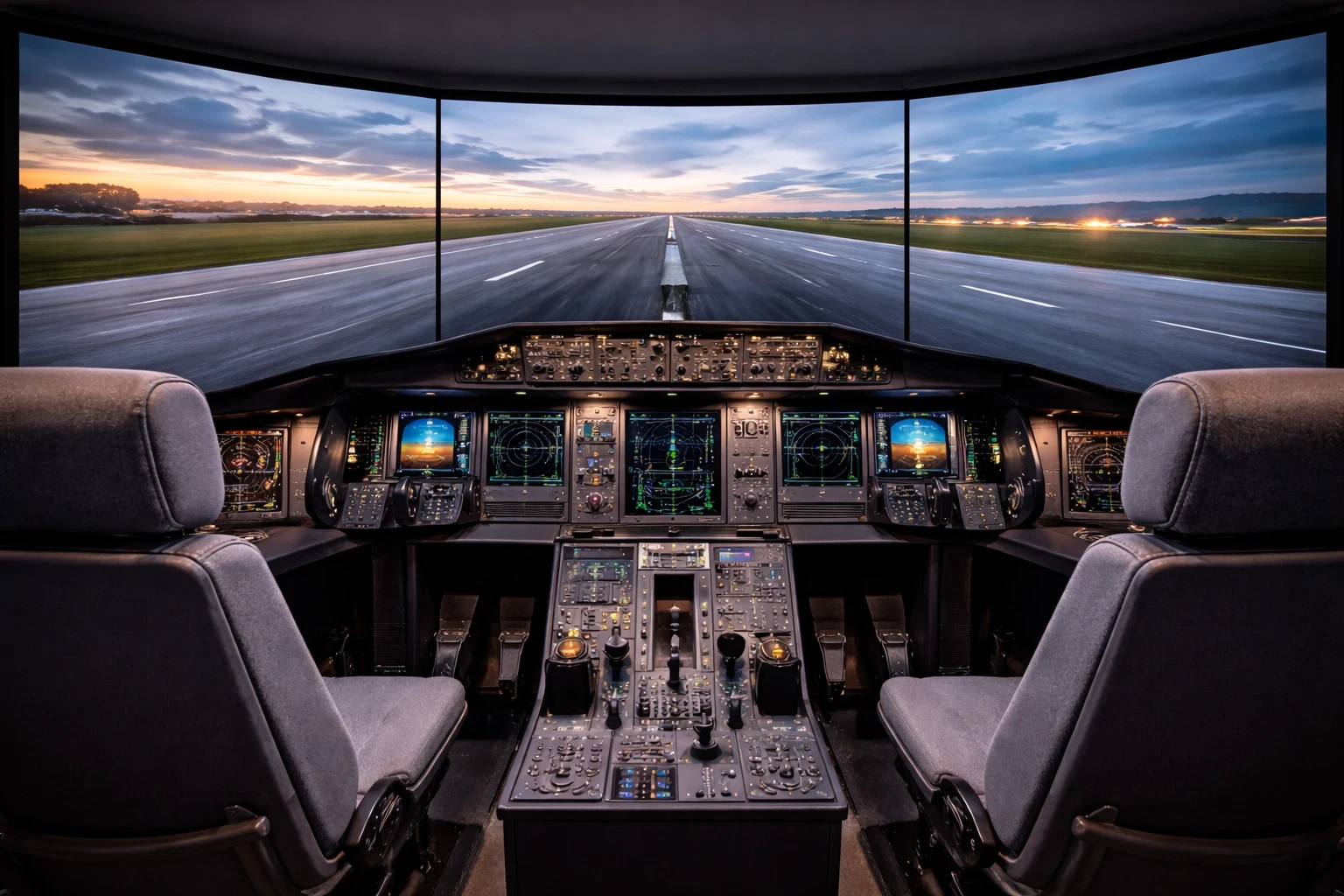
Multi-screen or wraparound displays play a major role in immersion by expanding the pilot’s field of view beyond a single screen. Think about having a wide field of view that brings the sky, landscape, and runway right in front of you, just as it would look from an actual cockpit. This is more than just aesthetics—it’s about situational awareness.
A wider field of view makes it easier to judge distance, alignment, and movement, especially during approaches and landings. When a pilot is exposed to realistic horizons and peripheral cues, maneuvers become intuitive and responses become second nature. This kind of visual setup helps combat the tunnel vision that new pilots might experience, allowing for a broader perspective of their environment.
Landing was challenging at first, especially aligning the aircraft with the runway. Issues like bouncing, incorrect speed, and altitude made approaches less stable. With more practice, I improved my landings by focusing on better alignment and smoother control during final approach.
But it’s not just about wide displays; it’s about the seamless integration across those screens. No gaps or mismatched seams mean the simulation is uninterrupted, offering a continuous visual field that echoes reality. This undivided attention to detail ensures the training experience is consistent and reliable, fostering pilots who are ready to handle real-world flying conditions.
In this digital age, pilots trained on multi-screen or wraparound displays are better equipped to navigate challenges. They’re used to analyzing vast amounts of visual information accurately, improving their skills at making quick, informed decisions—a critical factor in aviation safety.
Feel the Sky: Motion Simulation Capability
Motion simulation adds physical feedback to the experience, allowing the pilot to feel how the aircraft moves rather than just seeing it on screen. Picture a platform that mimics the movement of an aircraft—pitching, rolling, and yawing just like an actual plane would. This isn’t just for thrills; it’s a vital tool for training effective pilots.
Feeling movements like pitch, roll, and turbulence helps connect visual input with physical response, which improves reaction timing and overall control. It conditions pilots to anticipate and adjust to the aircraft’s reactions, which is critical when they’re facing these situations in real flights. This kind of dynamic feedback turns a simple simulator session into a truly comprehensive learning experience.
Flying through turbulence during thunderstorms showed a clear difference between aircraft types. Smaller aircraft were much harder to control, while larger aircraft felt more stable and easier to manage, especially at higher altitudes.
By mimicking the kinetic feel of a real aircraft, motion simulation aids in muscle memory development. Pilots learn how much pressure to apply or how fast to react based on the sensation of the motion, making their responses natural and instinctive.
This capability also ramps up the immersive experience, reducing the sensory disconnect that can sometimes come with VR environments, especially when combined with setups discussed in VR flight simulation integration. Training with motion simulation ensures that when pilots step into an actual cockpit, everything feels familiar. It’s about building confidence, reducing anxiety, and preparing pilots for the unexpected highs and lows of flying.
In essence, motion simulation isn’t just an add-on; it’s an essential ingredient in crafting a training experience that thoroughly prepares pilots for the skies.
🔑 Bringing It All Together
Building a professional flight simulator setup comes down to how well everything works together—controls, visuals, systems, and overall performance. Each component plays a role, but the real difference comes from how smoothly the setup feels during actual flights.
From navigating complex cockpits to improving control precision and handling challenging conditions like turbulence or landing alignment, small improvements add up over time. The more you refine your setup, the more natural and realistic each flight becomes.
👉 Take a closer look at your current setup and focus on one area to improve—whether it’s upgrading your controls, adjusting your settings, or using better planning tools. You can explore more guides, tools, and setup ideas on Flight Sim Essentials to continue improving your setup step by step.