
Last updated on February 20th, 2026 at 10:11 am
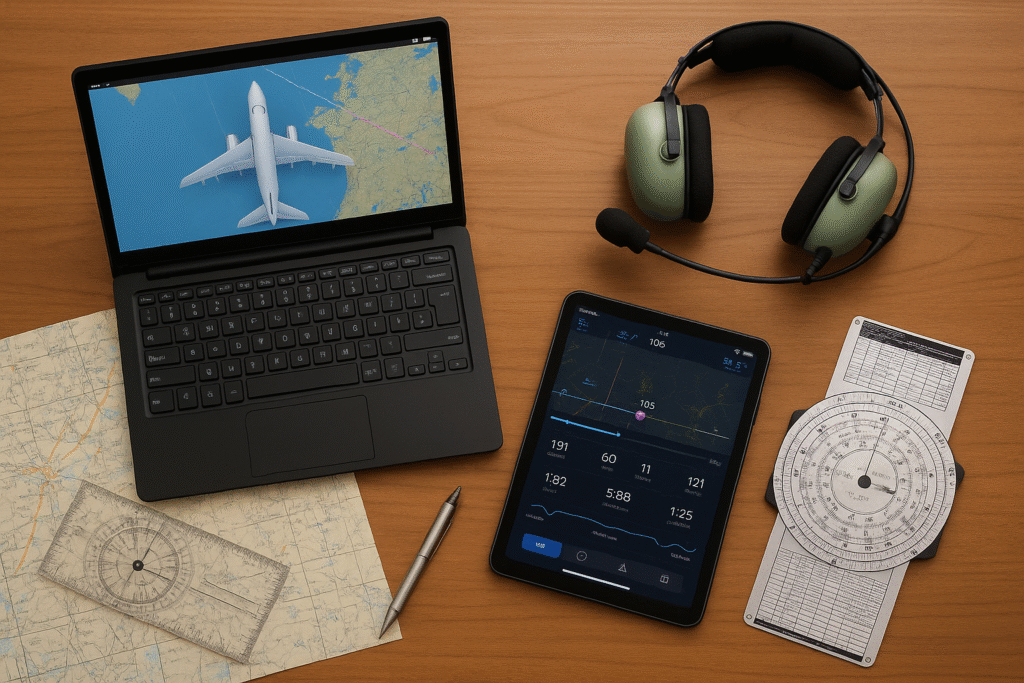
Essential software and tools help novice pilots stay organized and confident while learning the fundamentals of flying, especially when training in flight simulators. When I first started using planning and navigation tools alongside a simulator, having clear visuals and structured data made early practice sessions feel far more manageable. It helped me select destinations, zoom in or out on maps, and visually compare routes more easily.
Essential Software for Beginner Pilots
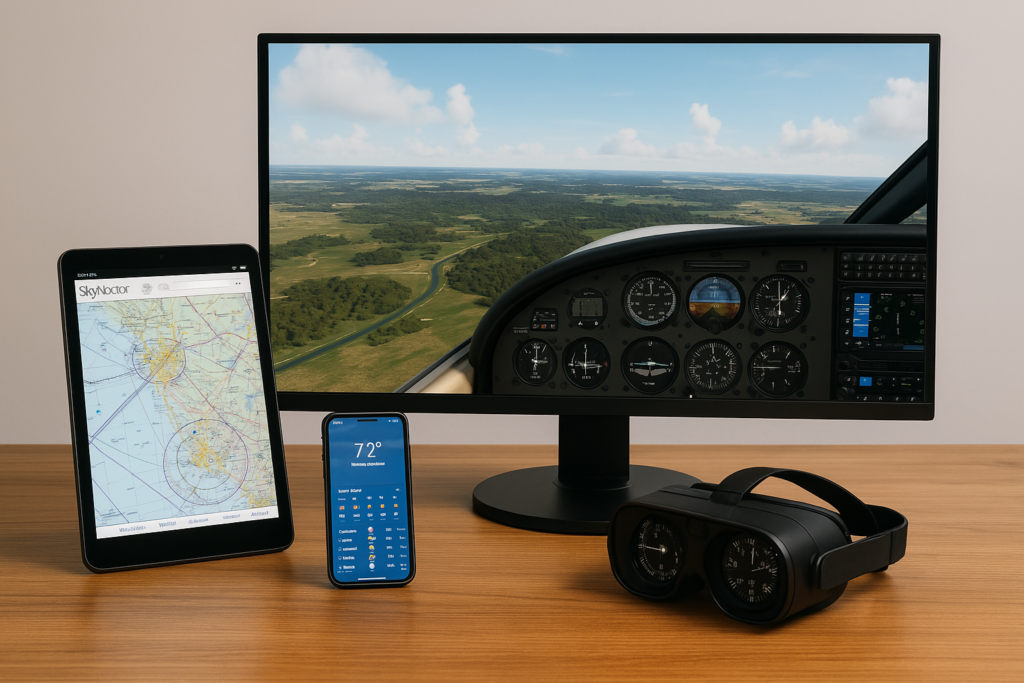
The tools available today make learning to fly much more accessible. In practice, flight planning software made it easier for me to visualize routes, review airspace boundaries, and understand how weather could affect a short simulated flight. Software applications specifically designed for pilots provide a user-friendly interface and clear information to support my flight training and practice.
Flight planning applications allow me to create and review realistic flight plan with mapping tools that show airspace boundaries, weather forecasts, and potential no-fly areas. Tools like SkyVector, helped me understand airspace boundaries, altitude restrictions, and temporary flight limitations by presenting charts in a clear, visual format that’s easier for beginners to interpret.
Flight simulators are another important resource because they allow repeated practice without real-world risk. Using a simulator to rehearse basic maneuvers and navigation helped me build confidence before attempting more complex scenarios. Modern simulation platforms are designed to replicate real-world aircraft behavior, navigation, and weather, making them valuable training tools for early skill development. 👉 Not sure which simulator fits your skill level? Take a look at our guide to the Top 5 Beginner-Friendly Flight Simulators.
Weather tracking tools are essential too. Drawing from real-world aviation weather services like accurate aviation weather apps, pilots can access updated forecasts, wind conditions, and visibility reports that are key to planning safe flights and avoiding complications from sudden weather changes.
Maintenance log applications and digital record systems simplify tracking aircraft performance and scheduled upkeep, letting me maintain accurate records of flight hours, inspections, and maintenance work—all critical for training and future licensing.
Getting Started with Pilot Software

Before spending time in the cockpit, it is important to learn the basics of pilot software. I review different applications to determine which best suits my experience and flight requirements. A key part of this process is understanding each tool’s function and how it integrates with onboard hardware.
For example, flight planning software gives a visual overview of planned routes. I appreciate features such as interactive maps, route editing, and simulation of the intended flight path that help me build a solid flight plan before takeoff. I found it easier to use a GPS map display rather than relying solely on the flight management computer in a simulator, since the visual layout made airspace, waypoints, and route structure clearer for beginner-level navigation.
Flight simulator apps provide a risk-free area to practice controlling an aircraft. I familiarize myself with the simulator’s layout and learn how to adjust settings and manipulate controls. Features like virtual controls, autopilot simulations, and scenario-based challenges build my understanding of basic aerodynamics and navigation principles.
Common terms in pilot software include:
- Navigation Interface: A clear display of airspace, waypoints, and planned routes.
- Flight Path Editing: feature that lets users modify routes based on real-time conditions.
- Real Time Tracking: With integrated GPS, this provides live updates on the aircraft’s position along its route.
Becoming comfortable with these tools is one of the first steps in turning theory into practical flying skills. Modern integrated features make it easier to adopt a proactive approach to flight management. 👉 If you’re completely new, here’s a helpful step-by-step beginner’s guide to flight simulation.
Important Considerations Before Investing in Pilot Tools

Every novice pilot faces the challenge of selecting the right software and tools. I take time to understand supported features, cost, and how each tool aligns with my flight training goals.
Price and reliability are at the center of my decision-making process. Sometimes free or basic versions offer enough functionality to get started, but as skills expand, advanced features at a higher cost may become a worthwhile investment.
Factors I consider include:
- Software Reliability: Ensuring regular updates and clear support channels is very important.
- Integration with Hardware: Seamless operation with onboard systems, such as autopilot controllers and flight instruments, reduces the risk of errors during flights.
- Regulatory Updates: In line with FAA regulatory guidance, many applications offer real-time flight regulation updates—such as airspace restrictions, NOTAMs, and weather advisories—helping pilots stay informed and operate safely.
- Community and Training Resources: Access to user forums and communities, tutorials, and responsive customer service makes these tools more approachable.
Assessing these factors helps me choose tools that meet my current needs while supporting my long-term aspirations as a pilot.
Advanced Tips and Tricks for Using Pilot Technology
As I become more comfortable with essential tools and software, I look for ways to unlock advanced features that can further improve my flight experience. I focus on customizing alerts, reviewing detailed logs, and integrating multiple sources of information.
Customizable dashboards let me see the most relevant flight data at a glance. Many flight applications allow me to arrange information such as altitude, speed, and course on one screen, which helps quickly spot any anomalies during practice flights.
Advanced applications let me set up custom alerts for weather patterns, altitude changes, and navigation updates. Notifications remind me when conditions change, contributing to better situational awareness and timely decision-making.
This technology also helps optimize fuel management and maintenance schedules. With integrated logs from previous flights, I analyze performance trends and adjust plans accordingly. Based on hands-on use and feedback commonly shared within the flight simulation community, customizable dashboards and detailed logs can reveal patterns that help improve training sessions over time.
For those serious about training, flight simulators with detailed scenario analysis prove beneficial. I review simulation results and compare them with planned routes to identify opportunities for improvement, building confidence as I work toward a higher level of competency.
Using advanced options also involves sharing data with professional communities. Many platforms let me export flight logs and statistics for external review, and comparing data can encourage further skill development by highlighting areas for improvement. 👉 Improve your understanding of how flight works by reading The Basics of Aerodynamics in Simulators.
The Basics: Key Tools and Hardware You Should Consider
Although software plays a vital role, the physical tools and devices used are equally important. Pairing the right hardware with my chosen software ensures a seamless flying experience, as both aspects need to complement each other.
I select devices that are compatible with aviation software. Modern cockpit systems and autopilot controllers are often integrated with digital flight plans and performance logs, keeping track of key flight parameters in real time.
Portable devices, such as tablets with high-resolution screens, offer a practical way to access flight data and planning tools. I keep one device with updated software available at all times. GPS receivers and dedicated navigational tools work with software to provide accurate location tracking.
Other important tools include backup communication devices and power monitoring systems. Redundant systems add safety, especially during unexpected events, and synchronized instruments help maintain accurate flight records. I always verify hardware compatibility with the software tools I choose.
Combining the right hardware with dependable software is one of the best ways I have found to stay prepared. It keeps me efficient, safe, and ready to face challenges while learning to fly. 👉 Need help choosing hardware? Here’s how to set up your own flight simulator at home.
Frequently Asked Questions:
Below are a few questions that novice pilots might ask about using essential software and tools:
Question: What should I look for in flight planning software as a new pilot?
Answer: Look for apps that clearly display airspace boundaries, VFR routes, terrain elevation, and weather layers in a beginner-friendly format. Tools like SkyVector and ForeFlight (if available to you) make it easier to visualize a route before flying it.
As a novice, I found that being able to zoom in on sectional charts, drag routes, and adjust waypoints visually made planning a short cross-country flight far easier than manually calculating everything from scratch.
Question: Which tools help improve navigation skills during early training?
Answer: Navigation improves fastest when you use tools that show your position relative to airspace, headings, and landmarks.
For simulators, apps like Navigraph Charts, Little Navmap, and built-in map displays in platforms like X-Plane or MSFS make it much easier for beginners to understand how their aircraft is tracking along a planned course.
Instead of training sessions, I learned navigation simply by keeping a moving map open beside the simulator during normal flights. Seeing my aircraft icon move across the chart in real time helped me connect what I was doing with the controls to what was happening on the map. It made concepts like wind drift, heading corrections, and altitude changes much clearer — something that’s harder to grasp when relying only on cockpit instruments as a new simmer.
Question: Are there aviation apps that help me understand real-world regulations?
Answer: Yes. Many beginner-friendly tools pull updated NOTAMs, TFRs, METARs, and airspace advisories directly from FAA and airport data sources.
SkyVector, ForeFlight, and AviaWeather all display regulatory updates automatically, helping you avoid restricted or complex airspace.
Seeing these alerts in real time during simulated flights can help form a good habits before using this knowledge in real-world training scenarios.
Question: How can I get better at flight planning as a novice pilot?
Answer: Start with short, simple routes and use apps that offer route previews, weather overlays, and altitude guidance.
Practicing with tools like:
- SimBrief (for structured IFR-style planning)
- SkyVector (for VFR route experiments)
- Windy (for weather visualization)
helps build confidence quickly.
Reviewing your flight logs afterward is incredibly useful — Many beginners find it helpful to compare their planned route with the actual flown track to see where drift or heading mistakes occurred. This simple habit makes navigation skills improve faster because it visually shows how winds, turns, and small corrections affect the flight path. Even if you’re just flying casual simulator sessions, reviewing your planned path versus your actual track is a great way to understand how well you’re holding headings and following your intended course.
Question: Do I need weather tools when I’m still learning the basics?
Answer: Absolutely. Weather awareness is one of the most important early skills.
Beginner pilots should familiarize themselves with:
- METARs and TAFs
- Cloud layers
- Winds aloft
- Visibility and crosswind conditions
Apps like Windy, AviaWeather, and NOAA Aviation Weather give clear visuals of conditions that could impact your simulated or real training flights.
Understanding weather in the simulator made transitioning into more realistic scenarios (like gusty landings or low-visibility circuits) much smoother.
Question: Should novice pilots use multiple apps or start with just one?
Answer: Start simple — then expand.
In the beginning, one main app (such as SkyVector or ForeFlight) paired with your simulator is enough.
Once you’re comfortable, adding tools for:
- Weather
- Performance logging
- Maintenance tracking
- Flight data export
can help deepen your understanding.
When you’re new, using too many tools at once can feel overwhelming. Many beginners find that adding features slowly — such as introducing flight planning apps, weather tools, or moving maps one at a time — makes the learning experience more enjoyable and productive. It’s generally easier to start with the basics and then gradually explore additional tools as your confidence grows.
Question: Are maintenance tracking apps useful even if I’m not flying a real aircraft yet?
Answer: Surprisingly, yes — especially for simulator pilots who want to train like real aviators.
Apps or spreadsheets that track flight time, aircraft configuration, performance notes, and virtual “maintenance” help instill the habits real pilots depend on.
Using a digital log is a helpful way for beginners to stay organized and keep track of progress. Many new sim pilots find that recording flight hours, notes, and performance helps them identify areas for improvement and stay consistent with their learning.
Question: Which Simulator tools integrate best with beginners software?
Answer: Most modern simulators (Microsoft Flight Simulator 2024, X-Plane, and Prepar3D) integrate well with:
- Little Navmap (free navigation + moving map)
- Navigraph Charts (IFR/VFR maps + procedures)
- SimBrief (auto-import flight plans)
- VATSIM / IVAO clients (for ATC practice)
These tools help beginners bridge the gap between “casual flying” and realistic aviation workflows without feeling overwhelming.
Conclusion:
Using the right combination of software and tools made early flight simulation training more structured and easier to manage. Flight planning apps, simulators, and integrated weather tools helped turn basic concepts into practical skills during simulated flights, allowing training sessions to feel more focused and predictable. This combination of digital tools and supportive hardware provides a solid foundation for beginner sim pilots building confidence and developing core skills over time.
The world of aviation technology is constantly evolving, and I continue to explore new features and updates that keep my training fresh and effective. With careful research and practice, these resources can turn a challenging early learning phase into a rewarding adventure. I encourage you to jump into these tools and experience the benefits firsthand.
“New pilots often get overwhelmed by trying too many tools too fast. Avoiding the most common pitfalls can make your learning smoother—read our guide on Common Mistakes New Flight Simulator Users Make.
This guide does a great job of breaking down what novice pilots need to know about flight simulation. It explains the software and hardware essentials in a clear, approachable way—from flight planning apps like SkyVector and popular simulators to the importance of proper calibration and system integration. I really appreciated the step-by-step advice and the emphasis on starting with the basics before investing in more advanced gear. It’s given me a fresh perspective on how to gradually build a solid flight simulation setup. What tools have you found most helpful when starting out in flight simulation?
Hi Dan, glad you found the guide helpful! Starting simple is definitely the best approach, especially before investing in bigger setups. I’ve always liked using a basic Logitech joystick — it works right away and makes flying feel much smoother. Once the fundamentals feel comfortable, upgrading to a yoke or pedals becomes a lot more meaningful.
This article is packed with great insights for anyone just starting out with flight simulators! I remember when I first got into flight simming—it was honestly overwhelming with all the tools and software out there. Having a clear guide like this would’ve saved me so much time and confusion.
I especially liked the mention of weather add-ons and realistic ATC software. Those two really elevated the experience for me and made my training sessions feel a lot more immersive. In your opinion, which tool do you think has the biggest impact for new sim pilots—the flight planning software or the navigation tools?
Hi Laura, appreciate you sharing your experience! For beginners, flight planning tools usually make the biggest difference — they help you understand your route and keep everything organized before takeoff. Navigation tools are great too, but planning software gave me more clarity early on, especially back when I used FSX.
Hi there! I found your article incredibly helpful—especially as someone just starting out in flight simulation. You’ve made it really clear which software tools are essential and how each one contributes to the overall learning experience. I appreciate your emphasis on how practicing consistently and connecting with other pilots can significantly boost confidence and skill development. Thanks for making it so accessible and informative!
Hi Kevin, really glad the article helped! Connecting with other sim pilots and practicing consistently does make a big difference. Starting with smaller aircraft is the easiest way to build confidence, and the training lessons in MSFS can speed up learning without any real-world pressure.
The section that really stood out to me was “Essential Software for Beginner Pilots.” It perfectly highlights how apps like SkyVector and flight simulators like Microsoft Flight Simulator and X-Plane aren’t just cool tech they’re essential confidence-builders. The way the article explains how these tools simplify everything from route planning to airspace awareness made me feel like flying is actually doable for beginners. I especially loved the emphasis on using weather apps for safety how cool is it that you can track wind and visibility in real-time from your phone?
Thanks, Ravin — great to hear that part stood out! Apps like SkyVector and Navigraph really do make flying feel more accessible. Navigraph especially is helpful if you want detailed weather overlays and charts all in one place.
As a casual gamer who’s sunk more hours than I care to admit into Microsoft Flight Simulator and X-Plane, I really appreciated this post. I’m not a real-world pilot, but I’ve always had an interest in aviation, and flight sims are where I scratch that itch. This breakdown of essential software and tools for novice pilots sound super interesting to me. Especially how you connected simulator use to real-world training.
I’ve personally used tools like SkyVector and ForeFlight alongside my sim sessions, just to get a feel for what actual pilots look at. It’s amazing how much crossover there is between gaming setups and real pilot workflows. Flight planning apps with VFR charts and live weather integration give the whole sim experience more depth and realism. I also found that using a separate tablet with navigation maps while flying helps simulate a more “in-cockpit” feel – it’s pretty fun and informative at the sam time.
One thing I love is how you emphasized the importance of starting simple. I can totally get lost in wanting ALL the tech at once: Joystick setups, flight paths, E6Bs. But taking it piece by piece is definitely the way to go. But there’s a clear path to understanding the basics of aerodynamics, navigation, and flight logs, even for someone like me who never sat in a real cockpit.
Honestly, articles like this make me seriously consider starting flight training one day. Tech is making it easier than ever for hobbyists like me to transition into actual aviation. Thanks for putting this together. It bridges the gap between gamers and aspiring pilots really well.
Thanks, Michael — love how you’ve been using real aviation tools alongside your sim sessions. Using a tablet for charts definitely adds to the realism. Starting simple is always the best path, and it’s great to hear the article made the idea of flight training feel more reachable.
With all the technology available for pilots today, I can’t help but wonder how the pilots of yesteryear managed without all these benefits. Has the control system gotten harder over the years to navigate for our pilots I wonder?
Can pilots use these tools without interference to the flight consul, or would these tools be best used for practice at home away from the aircraft?
Hi Michel, great questions. Earlier pilots relied entirely on charts, radio navigation, and experience — today’s tools simply add convenience. Software like SimBrief or Navigraph is meant for home use only; real aircraft rely on certified avionics to avoid interference. These tools are perfect for practice outside the cockpit.
Great article! I like how you broke down not just the software but also the hardware side of things—it really shows how both work together for a smoother learning curve. The point about not rushing into too many tools at once really resonates, since it’s easy to get overwhelmed. Quick question: if you had to recommend just one tool or app for a complete beginner to start with before adding anything else, which would you say makes the biggest difference in early flight training?
Thanks, Jenny! If I had to pick one tool for a complete beginner, I’d recommend starting with SimBrief. It keeps flight planning simple, teaches good habits early on, and prepares you well before adding more advanced tools.
Wow, there seems to be a lot of tools and apps necessary for slight simulation and to help novice pilots. I was just wondering if these tools are available in one piece of software, instead of having to download separate apps for each job?
Also for the novice pilot, how much should he or she budget for all the hardware and software needed to perfect the craft?
Hi Michel, good questions. Most simulators already include the essentials, so beginners don’t need multiple apps right away. A basic PC, a standard simulator, and an entry-level joystick are enough to get started. You can upgrade hardware gradually as your skills grow.
Wow, very interesting….These aren’t just games anymore; the physics engines are sophisticated enough that your dad could actually use them to practice an approach into a tricky airport like Innsbruck or Kai Tak (RIP).
Digital logs are great for career tracking, but there’s a certain nostalgia in the physical books. It might be worth asking your dad if he prefers the tactile feel of a pen or the efficiency of an app.
Hi Leah, great points. Modern simulators really can mimic challenging approaches like Innsbruck with surprising accuracy. And you’re right about logbooks — digital tools are convenient, but some still prefer the feel of a physical logbook. It mostly comes down to what your dad finds more enjoyable.