
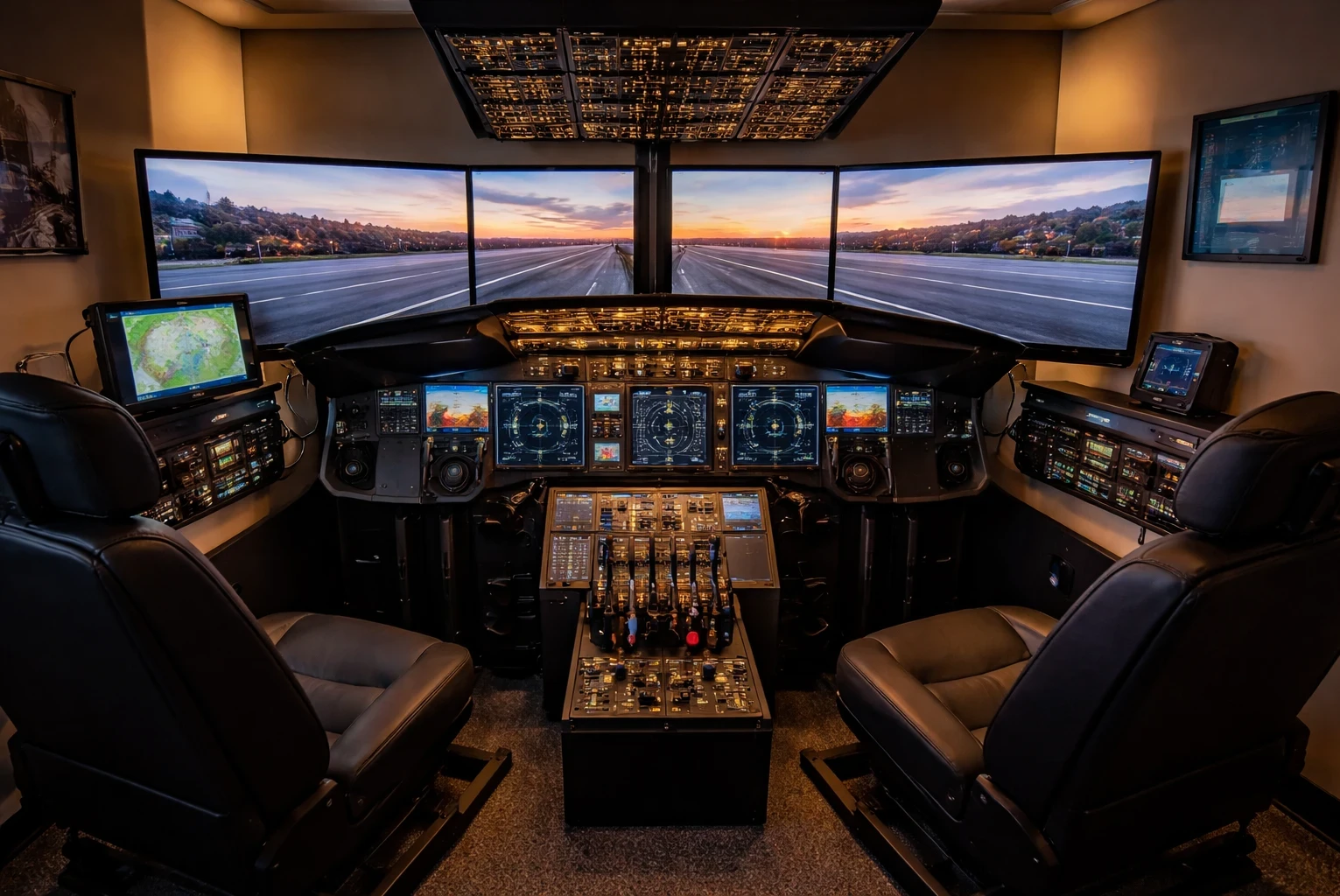
Building a custom flight simulator cockpit usually starts with one key decision: fixed or modular setup. A fixed cockpit gives you a dedicated, immersive environment that feels much closer to a real aircraft every time you sit down. The trade-off is space and commitment—once it’s built, it’s not something you can easily move or reconfigure. This type of setup works best if you can dedicate a full room, basement, or even a garage to your simulator.
Modular setups focus on flexibility without sacrificing too much realism. You can adjust, upgrade, or rearrange components depending on what you want to fly, which makes them ideal for smaller spaces or multi-aircraft setups. Instead of rebuilding everything, you’re working with a system that can shift from an airliner layout to a general aviation setup with a few changes. If you’re still deciding on hardware, it helps to explore different flight simulator yokes and control setups to understand what fits your style.
Space consideration is a biggie here. A fixed setup typically demands a more considerable footprint, making them perfect for those who can dedicate an entire room to their hobby. Modular setups, though, can fit into existing spaces more easily, like a corner of your home office or game room. It’s not just about preference but how much room you’re willing and able to give over to your new cockpit.
Weighing these options is about aligning your ambition with reality. A permanent setup brings a level of depth to your simulation experience you can’t get otherwise, but those willing to trade a bit of that for flexibility will find modular designs perfectly suitable. It’s all about what matters most to you in your flying experience.
Aircraft Selection: Defining Your Simulated Skies
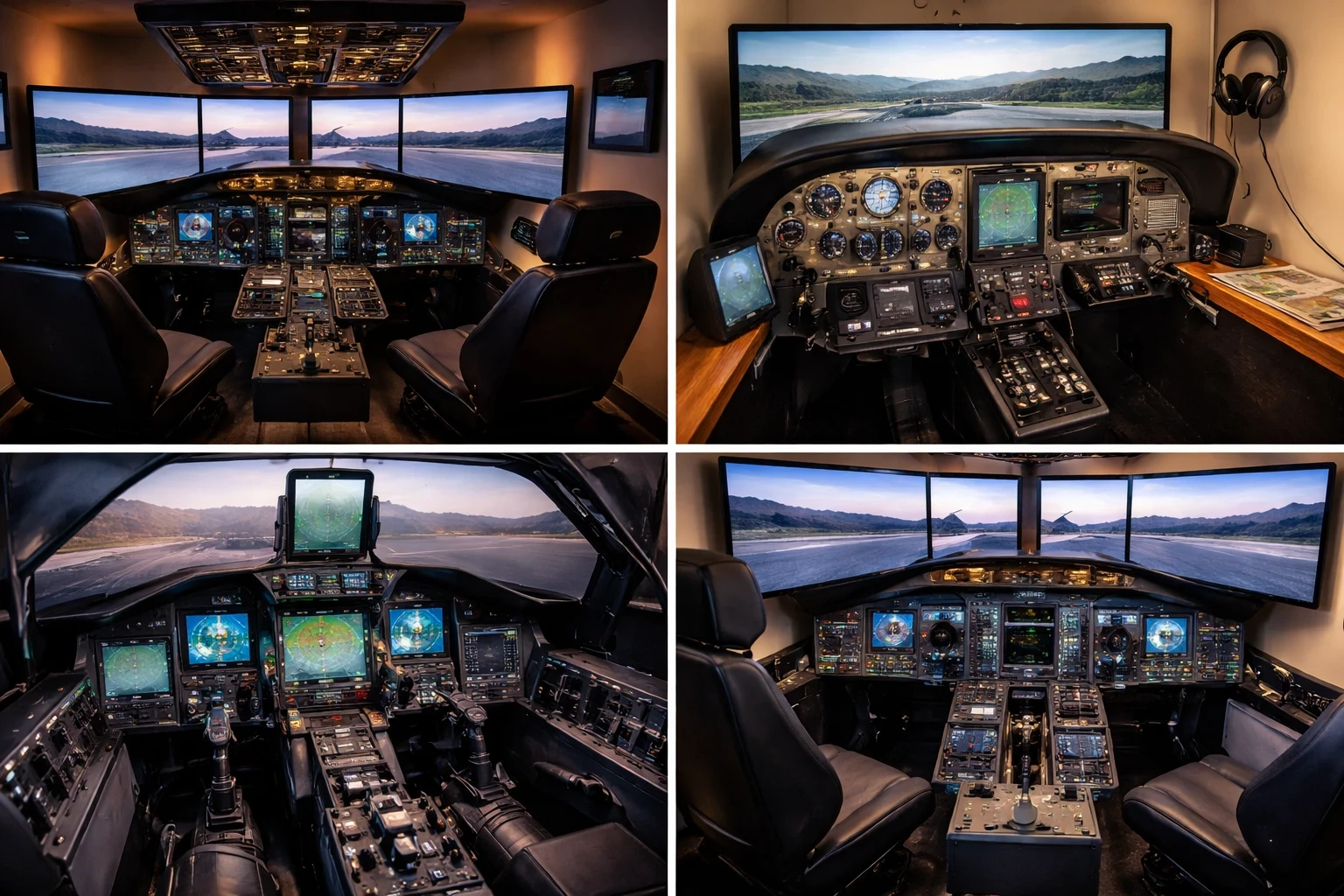
Start by narrowing down your aircraft choice early, because this decision drives your entire cockpit layout. Whether you prefer airliners, general aviation (GA), or military jets, each category requires a different control setup, panel structure, and level of complexity.
Airliners like the Boeing 737 demand more space, more hardware, and more planning. These setups often include multiple displays, autopilot panels, and additional controls to match real-world operations. They offer high realism, but they also increase cost and complexity quickly. If you’re building around an airliner setup, it’s worth reviewing throttle quadrant options for multi-engine aircraft to better match real cockpit layouts.
Consider general aviation for a versatile experience. GA aircraft like the Cessna 172 are simpler to simulate, requiring fewer instruments and occupying less space, making them ideal for modular setups. If you see yourself soaring quietly over landscapes, GA might be your pick. Many beginners start here after reading guides like best joysticks for flight simulation to keep things simple and affordable.
Military setups promise high adrenaline with fighter jet themes. They usually favor joystick configurations over yokes, matching the swift, combative nature of these aircraft. However, they also bring extra complexity and cost—think advanced throttle quadrants and VR gear.
Deciding on an aircraft steers the whole project. Larger planes test your budget and space, while smaller setups offer a more straightforward path with fewer demands. Your decision shapes everything that follows, so it pays to be sure of your choice.
Equipping Your Cockpit: The Heart of the Flight Simulation
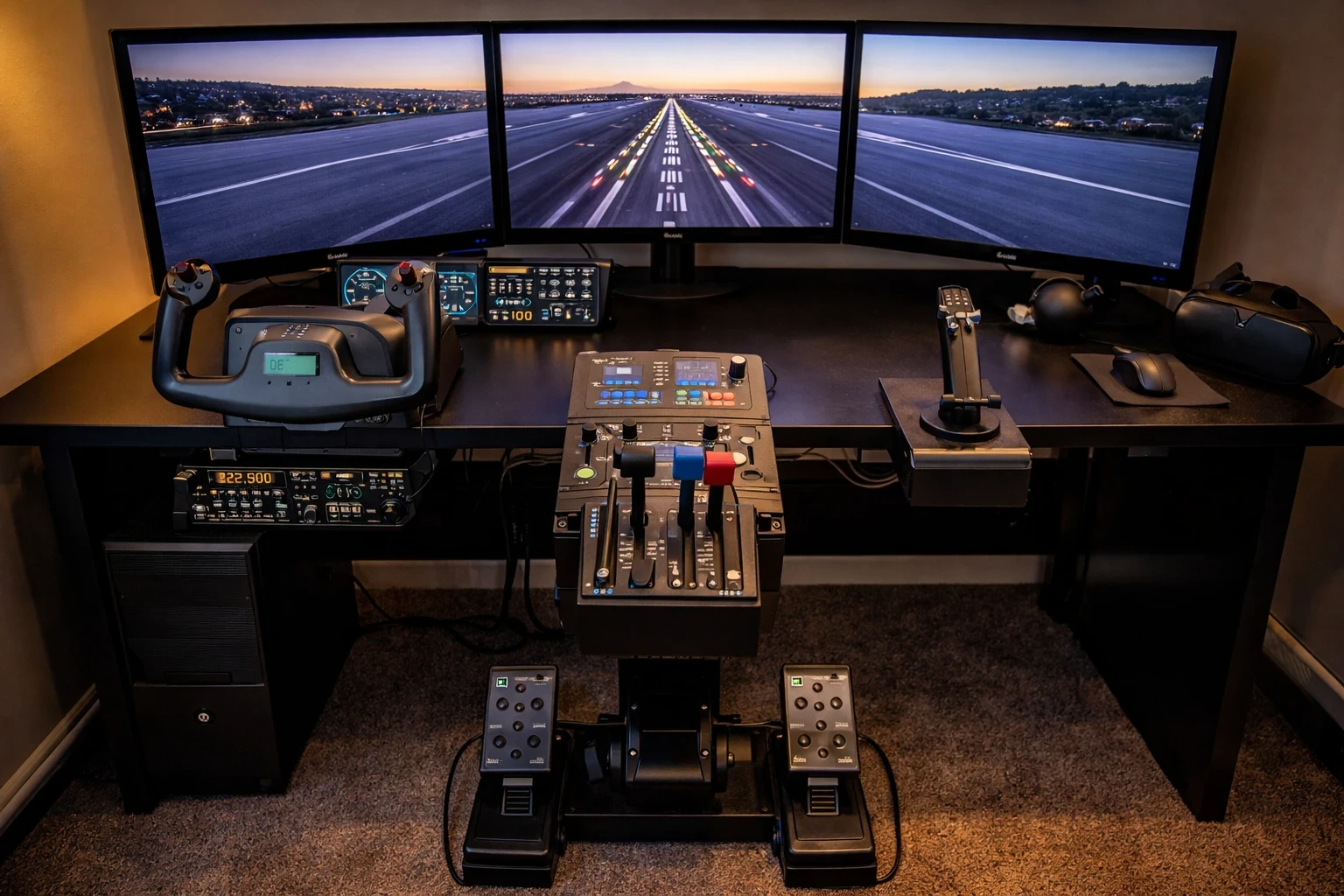
The core of any cockpit setup comes down to controls and displays, and this is where your flying experience is really defined. Deciding between a yoke or a joystick boils down to the type of aircraft you’ll usually simulate. Airliners and commercial planes feel more authentic with a yoke setup, while fighter jets come alive with a joystick and throttle setup.
Pedals and throttles complete the tactile experience of flying, giving you that real-deal flying feel. Keep in mind that how you position these controls affects both comfort and usability. Nailing this aspect is like laying a strong foundation—everything else builds upon it. For a more complete setup, many simmers also consider rudder pedals for better control and realism.
Display choice has a major impact on both immersion and practicality. A single monitor is simple and effective, while triple monitors or ultrawide setups expand your field of view significantly. VR offers the highest level of immersion, but it comes with a learning curve and additional hardware demands. Triple displays provide an expansive view but require more space and grunt from your computer. VR might just offer that unbeatable sense of presence, with the trade-off being a steeper learning curve and the need for VR-compatible hardware.
Each decision about your cockpit’s core components tailors your overall flight simming experience. It’s key to align these choices with both your aircraft preference and available space, making sure everything fits seamlessly into your setup while delivering the maximum thrill.
Enhancing with Details: Panels, Instruments, and Software Integration
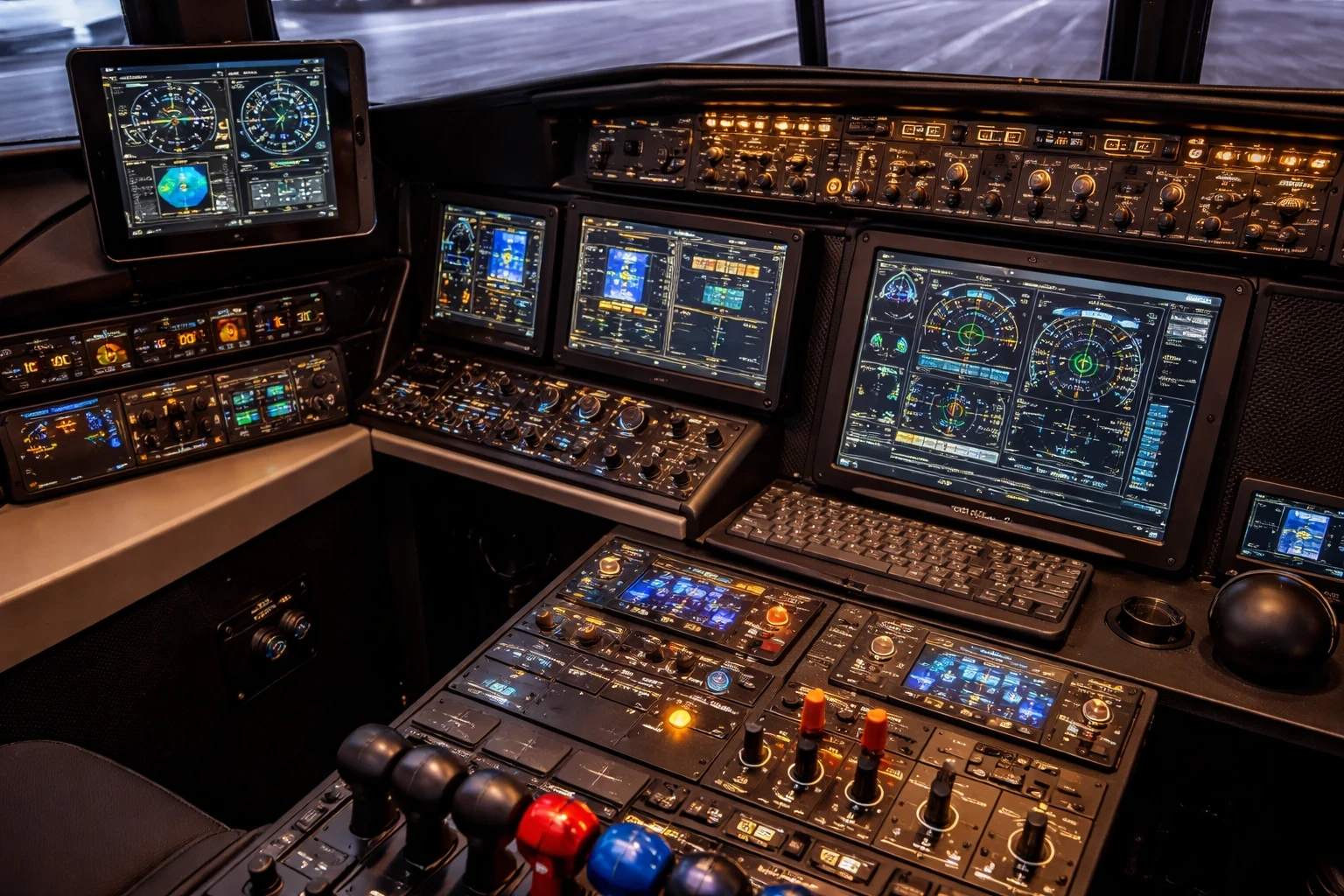
Dive into the details to make your cockpit genuinely sing—let’s talk about panels, instruments, and software. Switch panels and autopilot systems add layers of realism, demanding careful balance with space and cost considerations.
Adapt your setup to mirror the aircraft’s style. For a Boeing, more overhead panels might be on the cards, while a simple desktop dashboard could suffice for a small GA plane. Juggling these elements is like perfecting a recipe—too much or too little of anything can throw off the whole dish.
Software acts as the bridge between your physical hardware and the simulator. Tools like SPAD.neXt and FSUIPC allow you to fine-tune controls, assign custom functions, and make your setup behave exactly the way you want. It means you can make your cockpit truly yours, with everything working in harmony just as you envisioned it.
Air Manager offers another layer of flexibility—customizing virtual instrument panels on touchscreens that react in real-time is a game-changer for many simmers looking for that real cockpit feel without the hefty baggage of full-scale hardware. This is ideal for when budget or space is tight.
Building for Realism vs Practicality: Weighing Budget, DIY, and Ergonomics
The final step in any cockpit build is balancing realism with practicality. This isn’t just about budget—it’s about how usable and comfortable your setup will be over time. Breaking down different builds by budget—entry-level, mid-range, or advanced—is key to understanding what’s feasible.
Thinking of budget tiers, entry-level setups allow for great flying experiences without breaking the bank, focusing on essentials rather than frills. Mid-range builds offer a blend of realism and advanced features, while advanced setups often replicate real cockpits down to the tiny details, but brace yourself for the financial plunge.
Ergonomics is another critical aspect. Spending hours mimicking a pilot’s seat means attention to the seating position and control layout is non-negotiable. The right setup minimizes fatigue and maximizes enjoyment, so tweak those chair heights and tweak those peripheral placements until it fits like a glove.
Choosing between DIY and prebuilt also plays a major role. DIY projects let you customize to your heart’s content, personalizing every angle and button. But not everyone has the time or skill for construction projects, and that’s where pre-built frames save the day, providing professional-quality setups right out of the box.
🧭 Build the Right Cockpit for Your Setup
Building a custom flight simulator cockpit isn’t about copying someone else’s setup—it’s about creating something that fits your space, your budget, and the way you like to fly. Whether you go with a full fixed cockpit or a flexible modular setup, every decision should support how you actually use your simulator.
Start simple, focus on the core controls, and upgrade gradually as your experience grows. The biggest improvements usually come from getting the fundamentals right rather than adding more hardware too quickly.
👉 If you’re planning your next upgrade, explore more detailed guides on Flight Sim Essentials to find the right hardware, compare setups, and avoid common mistakes when building your cockpit.